How to forward client IP headers with HAProxy
Backends behind HAProxy often see the proxy address instead of the visitor address, so logs, rate limits, abuse checks, and application redirects can lose the client signal the operator expected. Forwarding the client address in an HTTP request header restores that context for applications that are explicitly configured to trust the HAProxy hop.
HAProxy's option forwardfor appends an X-Forwarded-For header to requests sent to backend servers. A backend that already receives user-supplied X-Forwarded-For must read the value written by the trusted proxy, not the untrusted leftmost value; for a first public edge that needs one clean value, an http-request set-header rule can replace any incoming claim with %[src].
These headers apply only to HTTP proxying. TCP pass-through and non-HTTP services need PROXY protocol support on both sides, and the RFC 7239 Forwarded header is useful only when the application knows how to parse it. Validate the HAProxy configuration before reload, then verify the backend view after reload because a saved config file does not prove the application is reading the intended header.
Steps to forward client IP headers with HAProxy:
- Confirm the listener and backend are handling HTTP traffic.
X-Forwarded-For and Forwarded are HTTP request headers. Use PROXY protocol instead when the backend needs connection metadata for TCP pass-through or another non-HTTP protocol.
- Decide which header the backend application will trust.
Header or rule Use when option forwardfor The backend can read X-Forwarded-For and is configured to trust the HAProxy hop. http-request set-header X-Forwarded-For %[src] HAProxy is the first trusted public edge and the backend expects one clean client-IP value. option forwarded The backend explicitly parses the RFC 7239 Forwarded header. Do not use option forwardfor if-none on a public listener when clients can send their own X-Forwarded-For header. HAProxy leaves that user-supplied header in place when if-none is used.
- Open the HAProxy configuration file.
$ sudoedit /etc/haproxy/haproxy.cfg
Package-managed Debian and Ubuntu hosts commonly use /etc/haproxy/haproxy.cfg. Use the file list from the service command when the host loads generated snippets or multiple -f paths.
- Add option forwardfor to the HTTP frontend, listen section, or backend that sends traffic to the application.
frontend fe_http
    bind :80
    mode http
    option forwardfor
    http-request set-header X-Forwarded-Proto http
    default_backend be_app

backend be_app
    mode http
    server app1 192.0.2.20:8080 check
option forwardfor appends X-Forwarded-For at the end of the existing header list. Configure the backend or logging layer to trust the HAProxy-written occurrence instead of an earlier user-supplied occurrence.
For TLS termination, set X-Forwarded-Proto to https in the HTTPS frontend, or use conditional rules when one HAProxy section handles both HTTP and HTTPS.
- Replace the incoming header instead when the backend must receive a single trusted value.
frontend fe_http
    bind :80
    mode http
    http-request set-header X-Forwarded-For %[src]
    http-request set-header X-Forwarded-Proto http
    default_backend be_app
Use this replacement rule instead of option forwardfor when spoofed client-supplied forwarding headers must not reach the backend as a chain.
- Add the RFC 7239 header only when the application expects it.
backend be_app
    mode http
    option forwarded
    server app1 192.0.2.20:8080 check
option forwarded defaults to sending proto and for values. In current HAProxy 3.2 documentation, this option is ignored in frontend sections, so place it in defaults, listen, or backend as appropriate for the application path.
- Validate the HAProxy configuration before touching the running service.
$ sudo haproxy -c -V -f /etc/haproxy/haproxy.cfg
Configuration file is valid
-c performs a configuration check and exits. -V prints the visible success line on current packages; scripts should still use the command exit status.
- Reload HAProxy after the validation command succeeds.
$ sudo systemctl reload haproxy
Reloading keeps the existing process serving while HAProxy starts workers with the new configuration on systemd-based package installs.
Related: How to reload HAProxy gracefully
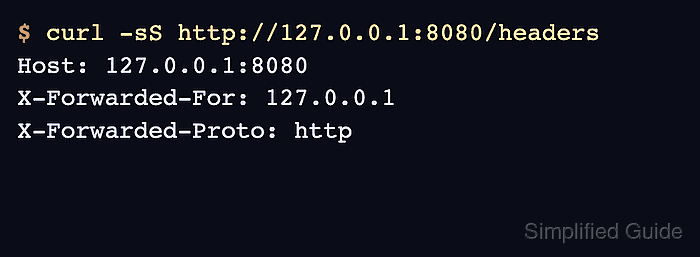
- Request a backend diagnostic route or log endpoint through HAProxy and confirm the backend sees the forwarded client header.
$ curl -sS http://127.0.0.1:8080/headers
Host: 127.0.0.1:8080
X-Forwarded-For: 127.0.0.1
X-Forwarded-Proto: http
In production, use a sanitized application debug route, request log, or temporary echo backend. Do not expose a public header-dump endpoint after the check is finished.
Tool: Proxy Server Checker can review pasted X-Forwarded-For or Forwarded evidence and trusted-hop risk after the backend output is collected.
- Check spoofed-header behavior when the backend uses the value for logs, limits, or access decisions.
$ curl -sS -H "X-Forwarded-For: 198.51.100.77" http://127.0.0.1:8080/headers
Host: 127.0.0.1:8080
X-Forwarded-For: 198.51.100.77
X-Forwarded-For: 127.0.0.1
X-Forwarded-Proto: http
This is the expected append behavior for option forwardfor. If the backend cannot ignore the untrusted earlier value, switch that listener to http-request set-header X-Forwarded-For %[src] and re-test.
- Verify Forwarded output when the backend uses RFC 7239 instead of X-Forwarded-For.
$ curl -sS http://127.0.0.1:8082/headers
Host: 127.0.0.1:8082
Forwarded: proto=http;for=127.0.0.1
The backend must parse Forwarded syntax itself; adding the header does not automatically change application logging, rate limiting, or framework trusted-proxy settings.