How to enable HAProxy HTTP compression
HTTP compression in HAProxy should reduce response bytes only for content types that benefit from it. The decisive proof is a response that includes Content-Encoding: gzip and a smaller encoded body when the client advertises gzip support.
HAProxy compresses eligible HTTP responses after the backend sends them and before they return to the client. The example below uses gzip for text and JSON-like media types and keeps already compressed images, archives, video, and other binary formats out of the compression list.
Current Ubuntu 26.04 packages ship HAProxy 3.2, where the compression filter syntax is filter compression. HAProxy documentation for 3.4 and newer uses filter comp-res for response compression; use the syntax supported by the version running on the load balancer and validate the file before reload.
Steps to enable HAProxy HTTP compression:
- Choose the backend or defaults section where compression should apply.
Apply compression close to the HTTP service that needs it. Avoid enabling it broadly for mixed traffic until static assets, APIs, streaming responses, and already-compressed content have been reviewed.
- Open the active HAProxy configuration file.
$ sudoedit /etc/haproxy/haproxy.cfg
- Add response compression for text-based media types.
- /etc/haproxy/haproxy.cfg
backend be_apps
    filter compression
    compression algo gzip
    compression type text/css text/html text/javascript application/javascript text/plain text/xml application/json
    server app1 10.0.10.11:8080 check
compression type decides which response media types are eligible. HAProxy skips responses that are already compressed.
For HAProxy 3.4 and newer, use the newer response filter name from the upstream documentation, such as filter comp-res, instead of the older filter compression syntax.
- Validate the complete HAProxy configuration.
$ sudo haproxy -c -V -f /etc/haproxy/haproxy.cfg
Configuration file is valid
- Reload HAProxy after validation succeeds.
$ sudo systemctl reload haproxy
Related: How to reload HAProxy gracefully
- Request an eligible response with gzip support advertised.
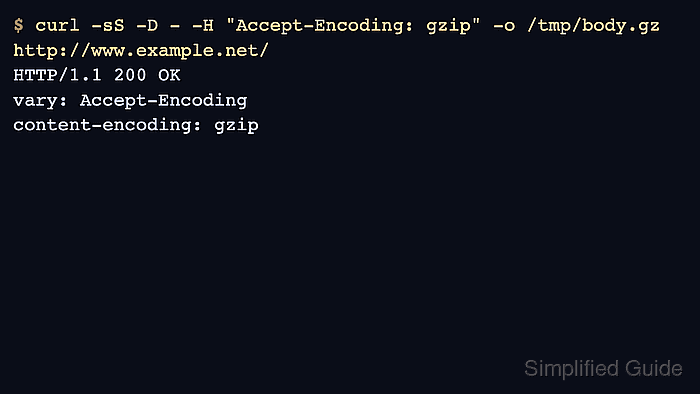
$ curl -sS -D - -H "Accept-Encoding: gzip" -o /tmp/body.gz http://www.example.net/
HTTP/1.1 200 OK
vary: Accept-Encoding
content-encoding: gzip
Vary: Accept-Encoding tells shared caches that compressed and identity responses are different variants.
Tool: Gzip Compression Checker
- Check the encoded body size.
$ wc -c /tmp/body.gz
117 /tmp/body.gz
- Request the same URL without gzip support when a baseline is needed.
$ curl -sS -D - -H "Accept-Encoding: identity" -o /tmp/body.txt http://www.example.net/
HTTP/1.1 200 OK
content-length: 6250
If content-encoding is missing from the gzip request, check the response Content-Type, the HAProxy version-specific filter syntax, and whether the backend already compressed the response.