How to process multiline records with awk
Blank-line-separated records can lose their context when a normal line-by-line search prints only the matching line. Use awk paragraph mode when a status, error, or field can appear inside a record that spans several lines and the output must keep the full record together.
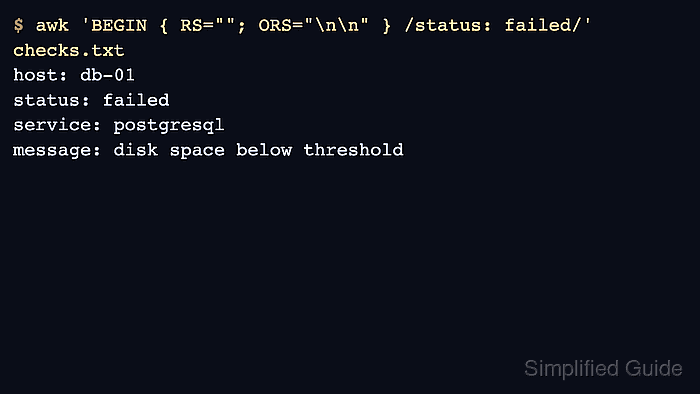
Setting RS="" makes awk read records separated by one or more blank lines instead of one input line at a time. Setting ORS="\n\n" adds the blank line back between printed records so each matched block remains readable in terminal output or a handoff file.
The sample uses simple health-check blocks separated by empty lines. It is not a parser for JSON, YAML, quoted CSV, or application logs whose record boundary depends on nesting or escaping; use a format-aware parser for those files.
Steps to process multiline records with awk:
- Create a sample file where each record spans several lines and records are separated by a blank line.
$ cat > checks.txt <<'EOF'
host: web-01
status: ok
service: nginx
message: accepting requests

host: db-01
status: failed
service: postgresql
message: disk space below threshold

host: cache-01
status: ok
service: redis
message: responding to pings
EOF
- Print the whole record that contains the failed status.
$ awk 'BEGIN { RS=""; ORS="\n\n" } /status: failed/' checks.txt
host: db-01
status: failed
service: postgresql
message: disk space below threshold
RS="" switches awk to paragraph-style records. The pattern still searches within the current record, but print writes the entire matched record instead of only the matching line.
- Confirm that the output includes the host, service, and message lines from the same failed record. The web-01 and cache-01 records should not appear because they do not contain status: failed.
- Change the match expression for the field or text that identifies the real record. For example, use /service: postgresql/ when the service line is the decisive field, or combine record tests inside the awk program when two lines must both appear in the same block.
Keep a real blank line between records when using RS="". If blank lines can appear inside a record, choose a record separator that matches the actual file format or use a parser built for that format.
- Remove the sample file after testing.
$ rm checks.txt