How to remove saved password in Google Chrome or Chromium
Google Chrome and Chromium both include built-in password managers that automatically store and autofill login credentials. This functionality can be convenient for frequent logins but may not suit everyone’s security needs. Users who prefer external password management tools like LastPass or wish to manage credentials separately may need to remove these stored passwords from their browser.
Storing login information in a browser poses a potential security risk, particularly on shared or public devices. Outdated or incorrect passwords can also lead to login errors and security vulnerabilities. Ensuring that sensitive data is stored securely in one location, such as a dedicated password manager, can help mitigate these issues. Removing saved credentials from the browser can improve both security and usability.
The password manager settings in Chrome and Chromium allow users to delete individual passwords, clear all stored credentials, or disable the password-saving feature entirely. By accessing the browser's settings, users can easily manage stored login data, limit security risks, and control how their credentials are handled across different devices.
Steps to remove saved password in Google Chrome or Chromium:
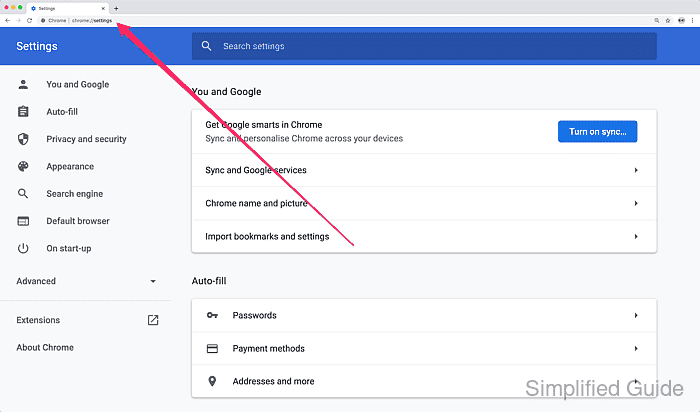
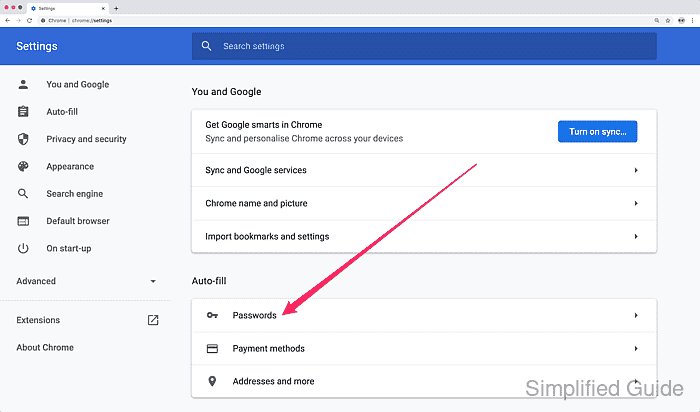
- Open Chrome's Setting page by going to chrome://settings from the URL bar.
- Scroll down to Auto-fill section or click on the sidebar menu.
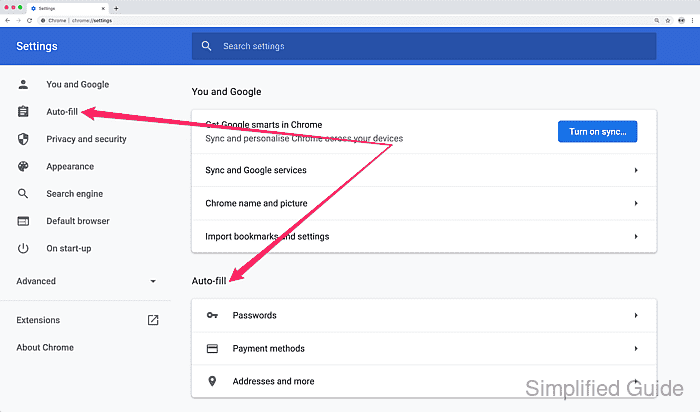
- Click on Passwords.
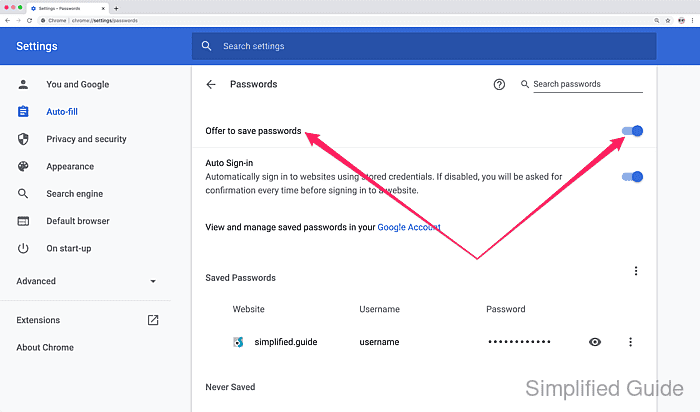
- Click on the toggle switch for Offer to save passwords to completely disable saving passwords to Google Chrome (optional).
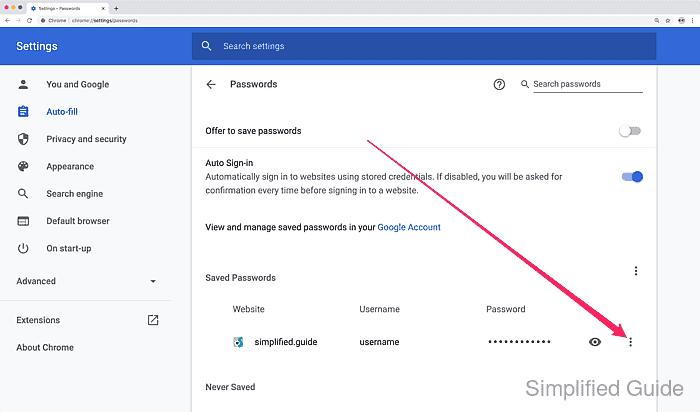
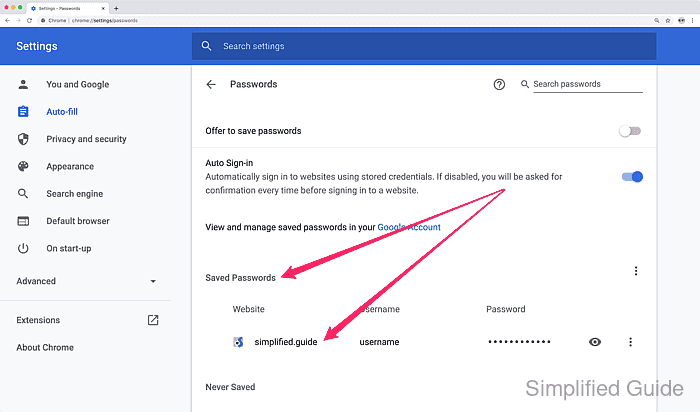
- Look for the accounts and associated websites from the Saved Passwords section that you want to delete.
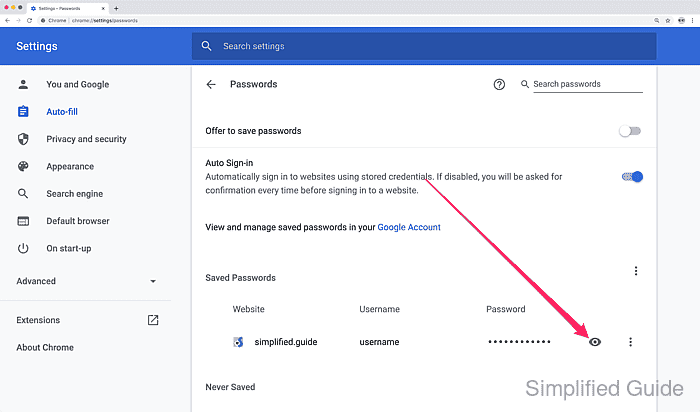
- Click on the eye icon to reveal and read your password (optional).
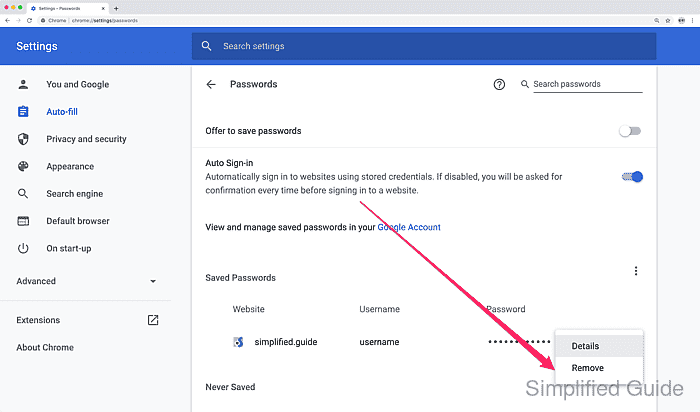
- Click on the three dots on the right of the account and click Remove to remove the saved password.