How to disable the pop-up blocker in Google Chrome
Pop-up blockers in Google Chrome are designed to block intrusive content and ads that can disrupt your browsing experience. However, some websites require pop-ups to display necessary information, such as login windows, payment forms, or other interactive elements. If Chrome's pop-up blocker is enabled, it can prevent these essential functions from operating correctly.
Disabling the pop-up blocker can be useful when trusted websites rely on pop-ups for certain features. This is common in secure environments like banking portals or web applications that need additional windows to gather input from users. Allowing pop-ups selectively ensures that these websites function as intended without compromising the user experience.
Chrome's pop-up blocker settings are fully customizable. Users can disable it globally or allow pop-ups on specific websites. This allows users to control the level of protection while making sure necessary pop-ups are not blocked. Adjusting these settings ensures that the browser operates efficiently without unnecessary interruptions.
Steps to disable pop-up blocker in Google Chrome and Chromium:
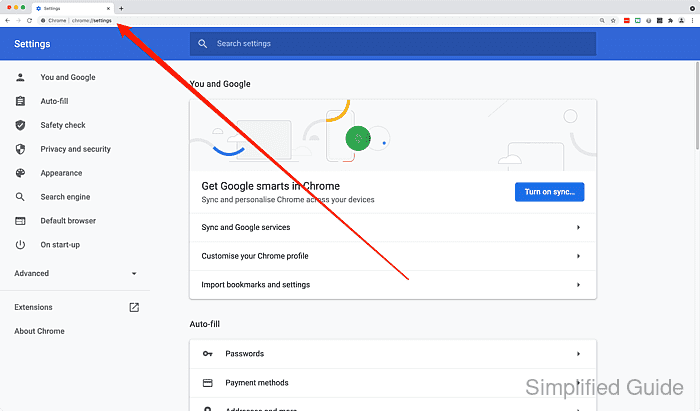
- Go to chrome://settings from the URL bar.
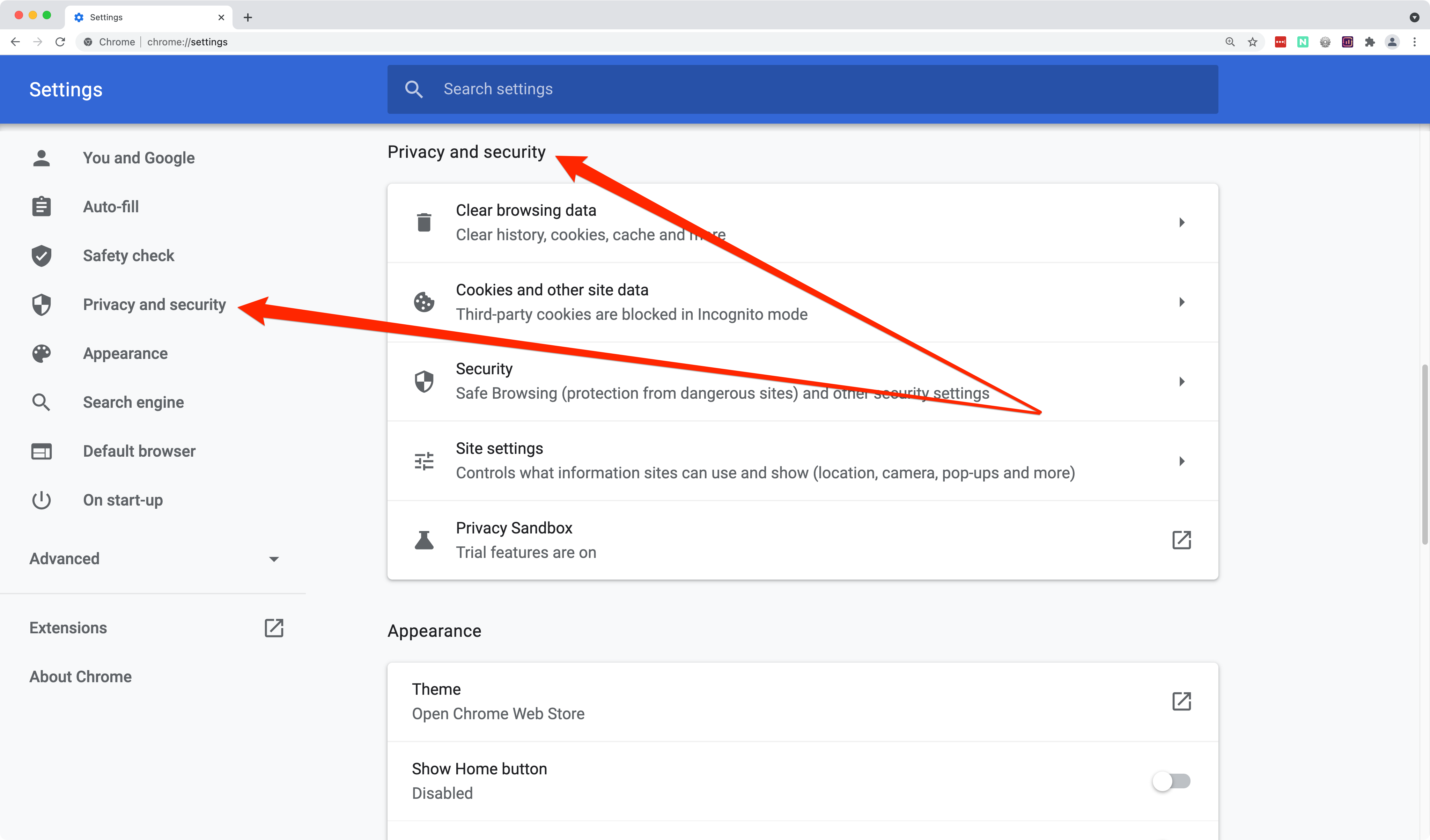
- Scroll down to Privacy and security section or click from the sidebar menu.
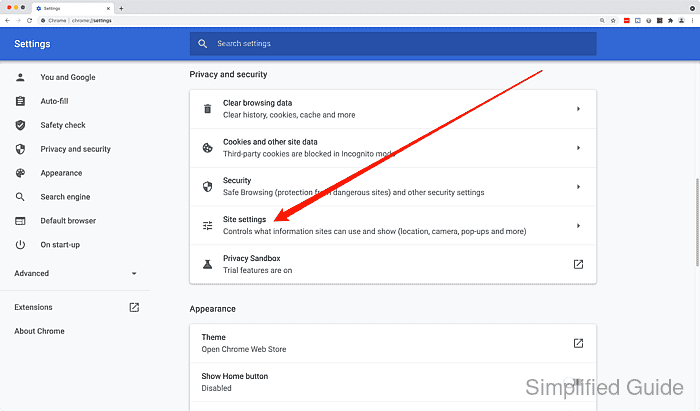
- Click on Site settings.
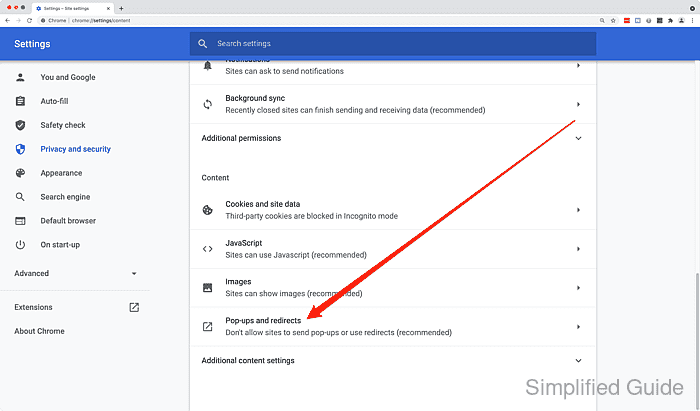
- Scroll down to look for and click on Pop-ups and redirects option.
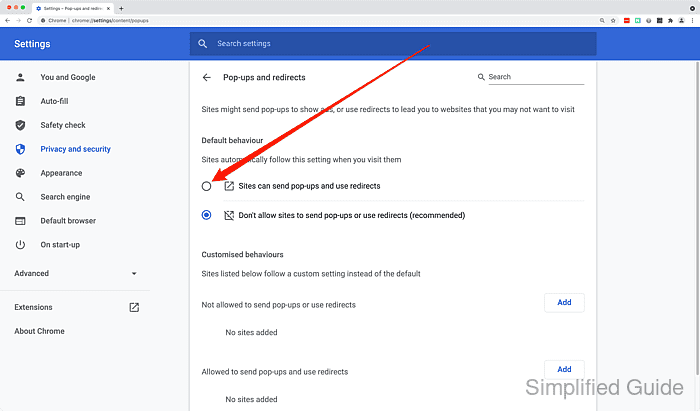
- Click on Sites can send pop-ups and use redirects radio button to enable popup for all sites.
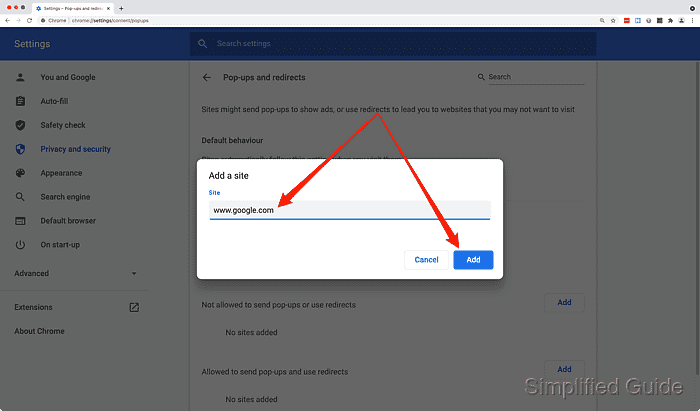
- Click on Add button to allow or deny specific websites from sending popup window.
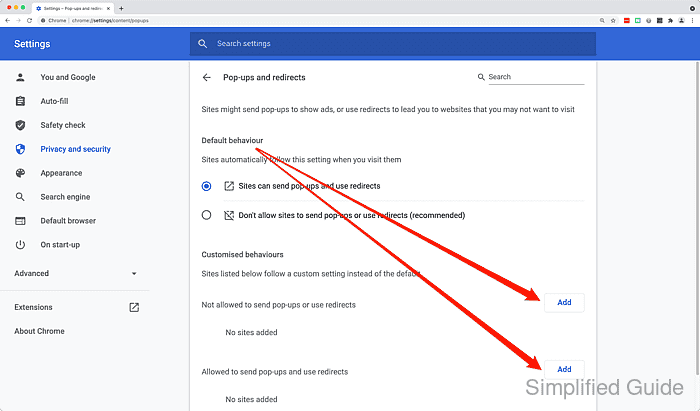
- Enter URL and click on Add.