How to add and update a Git submodule
A project sometimes needs a dependency to stay in its own Git repository while the parent project records the exact revision it uses. A submodule keeps that dependency in a working-tree directory and stores the source URL in .gitmodules, so every checkout can fetch the same external repository and use the parent repository's recorded commit.
The parent repository does not store the submodule files. It stores a gitlink, which is a special index entry that points to one commit in the submodule, while the submodule directory has its own HEAD, branches, and remotes. Running git submodule update --init checks out the commit recorded by the parent, and running git submodule update --remote moves the submodule to a newer commit from the tracked remote branch.
An intentional submodule update has two separate commits to think about. The submodule repository receives its own commits first, and the parent repository later records one of those commits by staging the submodule path. Use --branch when adding the submodule if --remote should track a specific branch, and avoid updating over uncommitted work inside the submodule directory.
Related: Clone a Git repository
Related: Change a Git remote URL
Steps to add and update a Git submodule:
- Open a terminal at the top level of the parent repository.
- Confirm the parent repository is on the branch that should record the submodule change.
$ git status -sb
## main
- Add the submodule at the path where the dependency should live.
$ git submodule add --branch main https://git.example.net/library.git vendor/library
Cloning into '/home/user/project/vendor/library'...
done.
--branch main records submodule.vendor/library.branch in .gitmodules so later git submodule update --remote follows that branch. Omit it only when the submodule's remote HEAD is the branch you want.
- Review the generated .gitmodules file before committing it.
$ cat .gitmodules
[submodule "vendor/library"]
	path = vendor/library
	url = https://git.example.net/library.git
	branch = main
Commit .gitmodules with the parent repository so other clones know the submodule path, URL, and default branch.
- Commit the staged .gitmodules file and submodule gitlink in the parent repository.
$ git commit -m "Add library submodule"
[main 8990434] Add library submodule
 2 files changed, 5 insertions(+)
 create mode 100644 .gitmodules
 create mode 160000 vendor/library
Mode 160000 is the submodule gitlink entry. It records a commit ID instead of regular files in the parent repository.
- Initialize the submodule in any checkout that has the parent commit but not the submodule working tree.
$ git submodule update --init --recursive vendor/library
Submodule path 'vendor/library': checked out '2d6a97a7fbb4cce6b0ee1b87cf6517e28f7d0f4c'
--init registers the submodule URL locally before checking out the commit recorded by the parent repository. --recursive also handles nested submodules when the dependency has its own submodules.
- Update the submodule to the latest commit on its tracked remote branch when the dependency should move forward.
$ git submodule update --remote vendor/library
From https://git.example.net/library
   2d6a97a..9be93a8  main       -> origin/main
Submodule path 'vendor/library': checked out '9be93a882e4c6e98525541178d01210660e0adcb'
Check for uncommitted work inside vendor/library before updating. A submodule is its own repository, and local changes there must be committed, stashed, or discarded inside that directory.
- Check the parent repository status after the submodule moves.
$ git status -sb
## main
 M vendor/library
The parent sees the submodule path as modified because the recorded gitlink no longer matches the checked-out submodule commit.
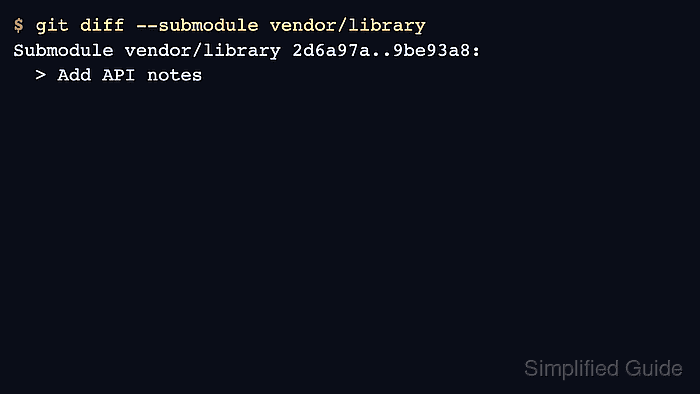
- Review the submodule commit change before staging it.
$ git diff --submodule vendor/library
Submodule vendor/library 2d6a97a..9be93a8:
  > Add API notes
- Stage the submodule path in the parent repository.
$ git add vendor/library
- Commit the new submodule gitlink in the parent repository.
$ git commit -m "Update library submodule"
[main a39d48c] Update library submodule
 1 file changed, 1 insertion(+), 1 deletion(-)
- Verify the parent repository records the intended submodule commit.
$ git submodule status vendor/library
 9be93a882e4c6e98525541178d01210660e0adcb vendor/library (remotes/origin/HEAD)