How to configure sparse checkout in Git
A sparse checkout keeps a Git working tree focused on the directories needed for the current task while the repository history and branch metadata stay available. It helps when a large repository has application, documentation, infrastructure, and tooling areas, but the current work only needs one or two of them on disk.
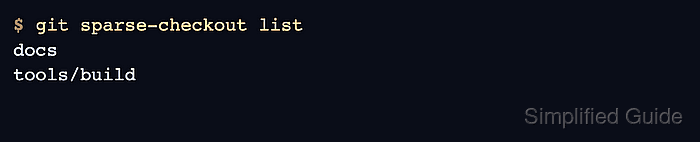
The current sparse-checkout command can enable the needed repository settings and write the path selection in one step with git sparse-checkout set. In the default cone mode, the arguments are directory names such as docs or tools/build, and Git updates the working tree so files outside those selected directories are not populated.
Start from a clean checkout before changing the sparse selection. Uncommitted changes outside the new selection can keep paths on disk or block the update, and older instructions that run git sparse-checkout init first are no longer needed for current Git releases because set handles the setup.
Related: How to clone a Git repository
Related: How to add a Git worktree for a branch
Related: How to list effective Git configuration
Steps to configure sparse checkout in Git:
- Open a terminal in the repository where only selected paths should remain in the working tree.
$ cd project
- Confirm the checkout has no uncommitted tracked changes.
$ git status --short
No output from git status --short means Git sees no staged or unstaged tracked changes in the current checkout.
- List top-level directories if the sparse selection has not been decided yet.
$ git ls-tree -d --name-only HEAD
app
docs
infra
tools
- Set the directories that should stay populated in the working tree.
$ git sparse-checkout set docs tools/build
Current Git treats git sparse-checkout set arguments as cone-mode directories by default. Use paths relative to the repository root, and avoid shell globs unless the checkout intentionally uses non-cone patterns.
Changing the sparse selection can remove tracked files outside the selected paths from the working tree. Commit, stash, or discard local edits before narrowing a checkout.
- Confirm the stored sparse-checkout selection.
$ git sparse-checkout list
docs
tools/build
- Verify that the working tree now contains root files plus the selected directory paths.
$ ls
README.md
docs
tools
$ ls tools
build
Cone mode also keeps files in the repository root and directory ancestors needed to reach selected subdirectories, such as tools for tools/build.
- Add another directory when the task grows to a second area.
$ git sparse-checkout add app
- Verify the expanded sparse selection and working tree.
$ git sparse-checkout list
app
docs
tools/build
$ ls
README.md
app
docs
tools
- Disable sparse checkout when the full working tree is needed again.
$ git sparse-checkout disable
$ ls
README.md
app
docs
infra
tools
git sparse-checkout disable restores tracked files for the full checkout and turns off the sparse-checkout setting.