How to resolve a Git merge conflict
A Git merge conflict stops a merge before the merge commit is created because both branches changed the same part of a file. Resolve the file before continuing so conflict markers do not reach the repository history and the final commit records an intentional combined result.
Git marks conflicted sections with <<<<<<<, =======, and >>>>>>>, then lists the affected paths as unmerged. The content decision happens in the file, and git add tells Git that the resolved file is ready for the index.
The commands below were verified in a fresh Ubuntu 26.04 container with a disposable repository. The same marker-and-stage pattern applies when a pull, rebase, cherry-pick, or revert stops on a conflict, but use the continue or abort command printed by Git for that operation.
Related: How to merge a Git branch into main
Related: How to rebase a Git branch onto main
Related: How to compare two Git branches with diff
Steps to resolve a Git merge conflict:
- Open a terminal in the repository where Git reported the conflict.
- Confirm which paths are still unmerged.
$ git status --short
UU docs/guide.md
UU means both sides changed the path and Git needs a manual resolution before the merge can continue.
- Inspect the conflicted file.
$ cat docs/guide.md
Title: Release guide
<<<<<<< HEAD
Status: reviewed on main
=======
Status: feature notes ready
>>>>>>> feature/docs
Owner: platform
The section above ======= is the current branch version, and the section below it is the branch being merged.
- Edit the file so only the intended resolved content remains.
Title: Release guide
Status: reviewed on main with feature notes
Owner: platform
Remove every <<<<<<<, =======, and >>>>>>> marker. If the merge should not continue, use git merge --abort before staging any resolution.
- Check the resolved file for leftover conflict markers or whitespace errors.
$ git diff --check
No output means Git did not find conflict markers or whitespace errors in the unstaged resolution.
- Stage the resolved file.
$ git add docs/guide.md
Staging the path marks that conflict as resolved in the index.
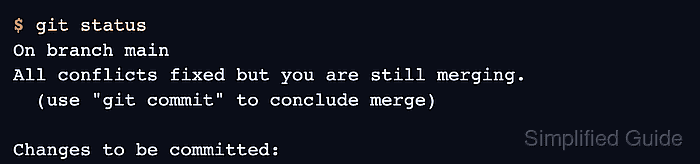
- Verify that all conflicts are fixed before continuing.
$ git status
On branch main
All conflicts fixed but you are still merging.
  (use "git commit" to conclude merge)

Changes to be committed:
	modified:   docs/guide.md
- Continue the merge.
$ git merge --continue
[main ba35944] Merge branch 'feature/docs'
If Git opens an editor for the merge commit message, review the default message, save it, and close the editor.
- Confirm that the branch has no remaining merge state or working-tree changes.
$ git status --short --branch
## main