How to create a Git pre-commit hook
A local Git pre-commit hook stops git commit before a commit object is created when a repository check exits with a failure. It is useful for catching staged whitespace errors, generated files, formatting drift, or other quick project checks at the moment a developer tries to commit.
Git looks for executable hook programs in .git/hooks by default. The hook named pre-commit takes no arguments, runs before Git opens or accepts the commit message, and blocks the commit when it exits with a non-zero status.
Create and test one local hook first, because files under .git are repository metadata and are not committed with the project. Use a committed setup script, core.hooksPath, CI, or server-side hooks when the same rule must be shared or enforced beyond one checkout.
Related: How to stage file changes in Git
Related: How to configure Git user name and email
Related: How to list effective Git configuration
Steps to create a Git pre-commit hook:
- Open a terminal in the repository that needs the hook and confirm the repository root.
$ git rev-parse --show-toplevel
/home/user/project
The default hook path is relative to the repository metadata directory, so the script is created under .git/hooks for this checkout.
- Create the .git/hooks/pre-commit file.
$ vi .git/hooks/pre-commit
- .git/hooks/pre-commit
#!/bin/sh
git diff --cached --check
git diff --cached --check inspects staged content for whitespace errors and exits with a failure when it finds one. Replace that line with the formatter, linter, test command, or script that should gate local commits in the project.
- Make the hook executable.
$ chmod +x .git/hooks/pre-commit
Git ignores hook files that are not executable. If core.hooksPath is configured for the repository, place the executable pre-commit script in that configured hooks directory instead of .git/hooks.
- Stage a file that should fail the example hook.
$ printf 'line with trailing space \n' > example.txt
$ git add example.txt
- Try to commit the staged file.
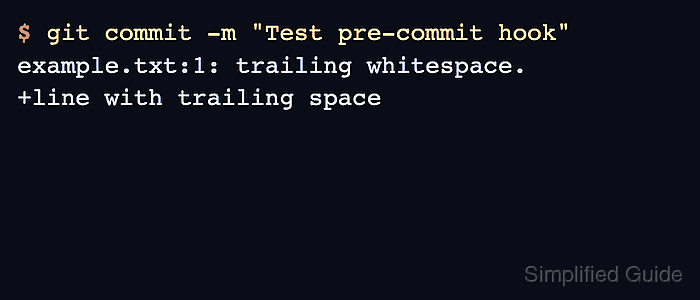
$ git commit -m "Test pre-commit hook"
example.txt:1: trailing whitespace.
+line with trailing space
The hook output appears instead of a commit summary, so the commit was stopped before Git created the commit object.
git commit --no-verify bypasses pre-commit. Do not rely on a local hook alone for checks that must be enforced for every contributor.
- Fix the staged content and stage it again.
$ printf 'line without trailing space\n' > example.txt
$ git add example.txt
- Commit the corrected file.
$ git commit -m "Add example file"
[main (root-commit) e430270] Add example file
 1 file changed, 1 insertion(+)
 create mode 100644 example.txt
- Verify the new commit exists.
$ git log --oneline --decorate --max-count=1
e430270 (HEAD -> main) Add example file
The commit hash will be different in another repository; the important signal is that the hook blocked the failing staged content and allowed the corrected content.