How to configure a Git alias
A Git alias turns a repeated Git command into a shorter subcommand, which helps when a developer regularly checks status, formats logs, or runs the same review command in several repositories. The alias is stored in Git configuration, so it follows the selected scope instead of changing files in the repository.
Alias entries use alias.<name> keys. The value is the Git subcommand and arguments that should run after git, so alias.st with value status lets git st behave like git status.
Use --global for a personal alias available to every repository for the current user, or --local from inside one repository when the shortcut should stay project-specific. The example configures st for status, then proves the saved value and the alias output without relying on shell aliases.
Related: List effective Git configuration
Steps to configure a Git alias:
- Choose a short alias name that does not match an existing Git command.
Use a plain name such as st, co, or lg. Git ignores aliases that hide existing Git commands, and shell-command aliases that begin with ! are a separate advanced form.
- Add the alias at the user scope.
$ git config set --global alias.st status
Use --local instead of --global from inside a repository when the alias should be stored only in that repository's .git/config file.
- Confirm Git saved the alias value.
$ git config get --global alias.st
status
If the value contains spaces, quote it when setting it, such as git config set --global alias.lg "log --oneline --decorate --graph --all".
- Run the alias with any extra options needed for the original command.
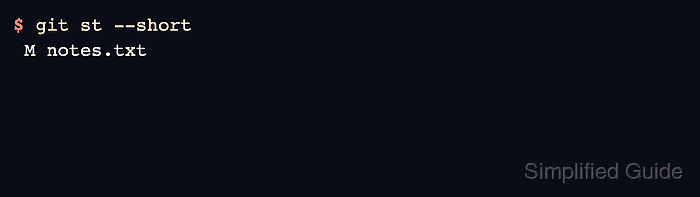
$ git st --short
 M notes.txt
Git passes extra arguments after the alias to the expanded command, so git st --short runs as git status --short.
- Compare the full command when confirming a new alias.
$ git status --short
 M notes.txt
The alias is ready when the shortcut returns the same useful output as the full Git command.
- Remove or replace the alias if the shortcut is wrong.
$ git config unset --global alias.st
Run another git config set command against alias.st to replace the alias with a new expansion.