How to configure NAT masquerading with firewalld
A firewalld NAT gateway needs the outside interface, the inside interface, and the forwarding path to agree. Masquerading only rewrites the private client's source address on the way out; the host also needs kernel forwarding and a policy that permits traffic from the LAN side to the WAN side.
Masquerading is source NAT for IPv4. It uses the outgoing interface address, so it fits a gateway whose outside address is assigned by DHCP, PPPoE, a cloud network, or another dynamic uplink. The outside zone handles the address rewrite, while a firewalld policy controls which inside zone may forward toward that outside zone.
The example uses enp1s0 as the outside interface in the external zone and enp2s0 as the private-side interface in the internal zone. Run these changes from a console or an already-protected management path, because moving a remote interface into the wrong zone can interrupt SSH before NAT is ready.
Related: Enable and start the firewalld service
Related: Assign a network interface to a firewalld zone
Related: Check active firewalld zones
Steps to configure NAT masquerading with firewalld:
- Confirm that firewalld is running before changing forwarding policy.
$ firewall-cmd --state
running
- Identify the outside interface and the private-side interface.
$ ip -brief address
lo               UNKNOWN        127.0.0.1/8 ::1/128
enp1s0           UP             203.0.113.10/24
enp2s0           UP             10.20.0.1/24
$ ip route
default via 203.0.113.1 dev enp1s0
10.20.0.0/24 dev enp2s0 proto kernel scope link src 10.20.0.1
enp1s0 is the outside path because it owns the default route. enp2s0 is the private-side gateway address for clients on 10.20.0.0/24.
- Assign the outside and inside interfaces to the intended zones.
$ sudo firewall-cmd --permanent --zone=external --change-interface=enp1s0
success
$ sudo firewall-cmd --permanent --zone=internal --change-interface=enp2s0
success
Check the target zone's services before moving a remote management interface. The external zone is a restrictive outside-facing zone, and a wrong assignment can block administrative access.
- Enable IPv4 forwarding persistently on the gateway.
net.ipv4.ip_forward = 1
$ sudo sysctl -p /etc/sysctl.d/95-ipv4-forwarding.conf
net.ipv4.ip_forward = 1
Masquerading changes packet addresses, but kernel forwarding is what lets packets move between the inside and outside interfaces.
- Check whether the outside zone already has masquerading enabled.
$ firewall-cmd --permanent --zone=external --query-masquerade
yes
The shipped external zone often already has masquerading enabled. If the command prints yes, keep the setting and continue to the forwarding policy.
- Enable masquerading on the outside zone when the previous check prints no.
$ sudo firewall-cmd --permanent --zone=external --add-masquerade
success
Keep masquerading on the egress zone for this workflow. Policy-level masquerade has backend and interface-binding limits on some systems, while zone-level masquerade matches the current RHEL firewalld NAT procedure.
- Create a forwarding policy from the inside zone to the outside zone.
$ sudo firewall-cmd --permanent --new-policy=lan-to-wan
success
$ sudo firewall-cmd --permanent --policy=lan-to-wan --add-ingress-zone=internal
success
$ sudo firewall-cmd --permanent --policy=lan-to-wan --add-egress-zone=external
success
$ sudo firewall-cmd --permanent --policy=lan-to-wan --set-target=ACCEPT
success
The policy name must be short enough for firewalld, so lan-to-wan leaves room while still naming the traffic direction. The policy permits forwarded traffic from internal to external; it does not open new inbound services on the outside interface.
- Validate and reload the permanent configuration.
$ sudo firewall-cmd --check-config
success
$ sudo firewall-cmd --reload
success
- Verify the active zones after the reload.
$ firewall-cmd --get-active-zones
external
  interfaces: enp1s0
internal
  interfaces: enp2s0
The outside interface should appear under external and the private-side interface should appear under internal. If either interface is missing or appears in another zone, fix the interface binding before testing client traffic.
Related: Check active firewalld zones
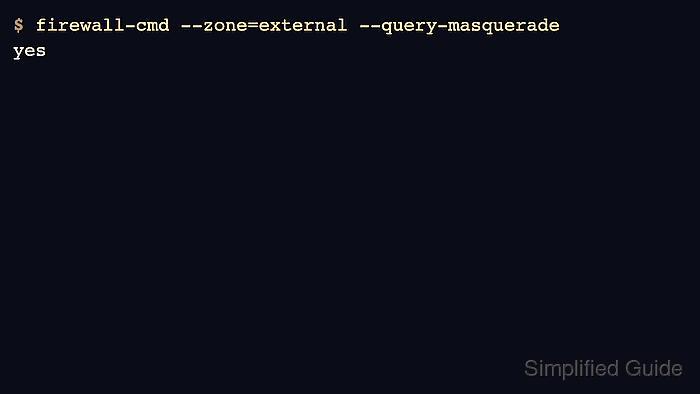
- Verify that the outside zone reports masquerading enabled.
$ firewall-cmd --zone=external --query-masquerade
yes
- Verify the forwarding policy.
$ firewall-cmd --info-policy=lan-to-wan
lan-to-wan (active)
  priority: -1
  target: ACCEPT
  ingress-zones: internal
  egress-zones: external
  services:
  ports:
  protocols:
  masquerade: no
  forward-ports:
  source-ports:
  icmp-blocks:
  rich rules:
masquerade: no in the policy output is expected here because masquerading is attached to the external zone. The policy's job is to permit the forwarded path from internal to external.
- Test from a private-side client that uses the gateway as its default route.
$ ip route
default via 10.20.0.1 dev eth0
10.20.0.0/24 dev eth0 proto kernel scope link src 10.20.0.25
$ curl -4 https://ifconfig.me
198.51.100.34
The returned address should be the gateway's outside IPv4 address or the upstream public address that represents it. If the client cannot reach the external service, recheck the client default route, the gateway's forwarding sysctl, the active zone bindings, and the lan-to-wan policy.