How to set Kibana logging levels
Setting Kibana logging levels controls how much startup, plugin, and request detail the server records during troubleshooting. Raising the root level temporarily exposes lower-level messages when the UI is slow to come up, a plugin fails to initialize, or the connection to Elasticsearch needs closer inspection.
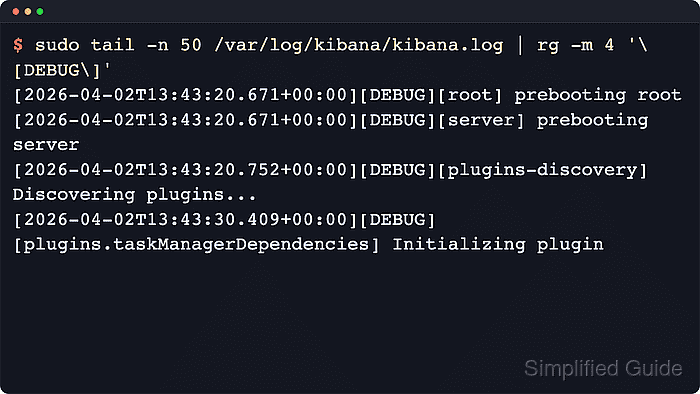
Kibana reads logging settings from kibana.yml at startup. logging.root.level sets the default threshold for loggers that do not have a more specific override, defaults to info, and accepts off, fatal, error, warn, info, debug, trace, and all.
The package-based Linux layout keeps the active configuration at /etc/kibana/kibana.yml and applies changes through systemctl. Package logs are commonly read from /var/log/kibana/kibana.log or the systemd journal, while Docker uses docker logs and archive installs use $KIBANA_HOME/logs. Kibana validates logging settings during startup, so an unsupported level or broken YAML can keep the service from starting.
Steps to set Kibana logging levels:
- Create a backup of the Kibana configuration file.
$ sudo cp -a /etc/kibana/kibana.yml /etc/kibana/kibana.yml.bak
- Open the active Kibana configuration file in an editor.
$ sudoedit /etc/kibana/kibana.yml
Archive and container installs usually keep kibana.yml under /usr/share/kibana/config instead of /etc/kibana.
- Set logging.root.level to the verbosity that matches your troubleshooting need.
logging.root.level: debug
Use debug for short troubleshooting windows before moving to trace or all. Higher levels can expose request details and generate enough log volume to fill small disks quickly.
Tool: YAML Validator
- Restart the kibana service to apply the logging change.
$ sudo systemctl restart kibana.service
- Confirm that systemd sees Kibana as running after the restart.
$ systemctl is-active kibana.service
active
- Check for the expected debug records in the Kibana log.
$ sudo grep -F "[DEBUG]" /var/log/kibana/kibana.log
[2026-06-18T13:58:36.169+00:00][DEBUG][cli] Kibana configurations evaluated in this order: /etc/kibana/kibana.yml
[2026-06-18T13:58:36.170+00:00][DEBUG][config] Marking config path as handled: elasticsearch
[2026-06-18T13:58:36.171+00:00][DEBUG][config] Marking config path as handled: logging
[2026-06-18T13:58:39.940+00:00][DEBUG][root] prebooting root
[2026-06-18T13:58:40.108+00:00][DEBUG][plugins-system] Setting up plugin licensing
##### snipped #####
If your deployment sends Kibana output to the systemd journal instead of /var/log/kibana/kibana.log, run sudo journalctl -u kibana.service -b -p debug and confirm the same [DEBUG] entries appear.
- Return the root level to info when the troubleshooting window is finished.
logging.root.level: info
info is the default root level and keeps routine operational logs without leaving debug or trace detail enabled.
- Restart Kibana again to apply the lower level.
$ sudo systemctl restart kibana.service