How to add custom fields in Filebeat
Adding custom fields in Filebeat attaches stable metadata to every event before it reaches Elasticsearch, Logstash, or another output. Environment, team, service, or ownership values added at the shipper make dashboards, routing rules, and alert filters easier to maintain without reparsing each log message.
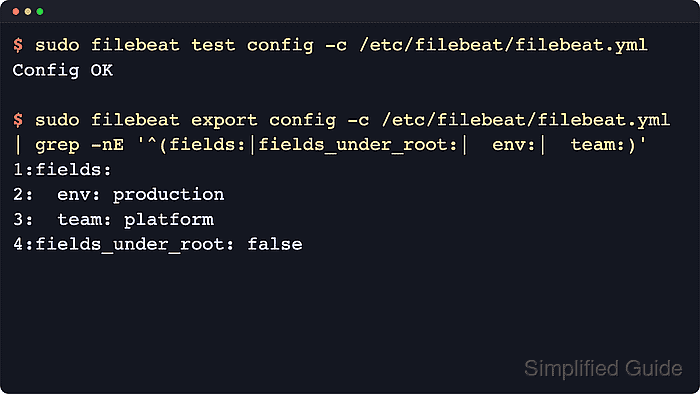
The top-level fields option in /etc/filebeat/filebeat.yml applies the same values to every event from that Filebeat instance. fields_under_root controls where those values appear in the document, with false keeping them under fields and true promoting them to top-level keys.
Keeping custom values under fields avoids collisions with Elastic Common Schema (ECS) fields and fields created by inputs, modules, processors, or ingest pipelines. Validate the config before restarting filebeat.service, then confirm a newly indexed event contains the added fields.
Related: How to configure Filebeat processors
Steps to add custom fields in Filebeat:
- Back up the active Filebeat configuration.
$ sudo cp /etc/filebeat/filebeat.yml /etc/filebeat/filebeat.yml.bak
Restore the previous file with sudo cp /etc/filebeat/filebeat.yml.bak /etc/filebeat/filebeat.yml if validation fails.
- Open the Filebeat configuration file.
$ sudoedit /etc/filebeat/filebeat.yml
- Add the custom fields near the other global Filebeat settings.
- /etc/filebeat/filebeat.yml
fields:
  env: production
  team: platform
fields_under_root: false
Set fields_under_root to true only when downstream searches or pipelines require top-level keys, because custom names can overwrite existing event fields when they collide.
- Test the updated configuration.
$ sudo filebeat test config -c /etc/filebeat/filebeat.yml
Config OK
Related: How to test a Filebeat configuration
- Export the resolved configuration to confirm the global fields are loaded.
$ sudo filebeat export config -c /etc/filebeat/filebeat.yml
fields:
  env: production
  team: platform
fields_under_root: false
filebeat:
  inputs:
  - enabled: true
##### snipped #####
The exported configuration can include output hosts, inline credentials, or internal paths from the active file. Review and sanitize it before sharing.
- Restart the Filebeat service to apply the new fields.
$ sudo systemctl restart filebeat
- Confirm the service returned to the active state.
$ sudo systemctl is-active filebeat
active
When the unit is not active, review sudo journalctl --unit=filebeat --no-pager --lines=80 for YAML, permission, input, or output errors.
- Search a recent Filebeat event for the new fields.
$ curl --silent --show-error --fail \
  --user "elastic:${ELASTIC_PASSWORD}" \
  --header "Content-Type: application/json" \
  --request POST "https://elasticsearch.example.net:9200/filebeat-*/_search?pretty" \
  --data '{
    "size": 1,
    "_source": ["message", "fields.env", "fields.team"],
    "query": {
      "exists": {
        "field": "fields.env"
      }
    }
  }'
{
  "hits" : {
    "total" : {
      "value" : 16,
      "relation" : "eq"
    },
    "hits" : [
      {
        "_source" : {
          "message" : "application started",
          "fields" : {
            "env" : "production",
            "team" : "platform"
          }
        }
      }
    ]
  }
}
Use a read-capable credential for this search. If fields_under_root is true, search for env and team instead of fields.env and fields.team.
If no event appears, write a new line to a configured input path and wait for Filebeat to publish it.