How to configure Filebeat console output
Configuring Filebeat console output prints published events as JSON in the terminal instead of sending them to Elasticsearch, Logstash, Kafka, or another destination. It is useful for a short inspection window when checking harvested fields, processor changes, or enrichment before returning the shipper to its normal output.
The setting lives in the output.console block of /etc/filebeat/filebeat.yml on packaged Linux installs. Elastic documents only one active output, so the existing destination block must be commented out or restored from a backup before normal shipping resumes.
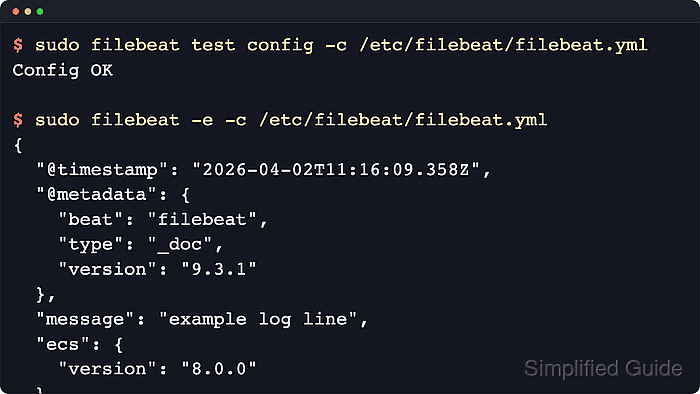
Console output writes events to stdout, and pretty: true expands each event into multi-line JSON. A foreground run prints an event only after an enabled input publishes data, so a quiet source file or paused input can leave the terminal empty even when the YAML syntax is valid.
Steps to configure Filebeat console output:
- Back up the active Filebeat configuration file.
$ sudo cp /etc/filebeat/filebeat.yml /etc/filebeat/filebeat.yml.before-console-output
DEB and RPM packages use /etc/filebeat/filebeat.yml by default. Archive and container installs can use a different path.config.
- Open the Filebeat configuration file.
$ sudoedit /etc/filebeat/filebeat.yml
- Disable the current output block and enable output.console.
- /etc/filebeat/filebeat.yml
#output.elasticsearch:
#  hosts: ["https://es.example.net:9200"]

output.console:
  pretty: true
Filebeat supports only one enabled output.* block. Use console output only for a short debugging session because it can print a large amount of event data.
- Test the Filebeat configuration for syntax errors.
$ sudo filebeat test config -c /etc/filebeat/filebeat.yml
Config OK
Related: How to test a Filebeat configuration
- Stop the Filebeat service before running the foreground check.
$ sudo systemctl stop filebeat
- Run Filebeat in the foreground to print published events.
$ sudo filebeat -c /etc/filebeat/filebeat.yml
{
  "@timestamp": "2026-06-18T06:02:54.928Z",
  "@metadata": {
    "beat": "filebeat",
    "type": "_doc",
    "version": "9.4.2"
  },
  "message": "console output validation event",
  "input": {
    "type": "filestream"
  },
  "service": {
    "name": "payments-api"
  },
  "host": {
    "name": "loghost01"
  }
}
Exact fields vary by input, processors, and source data. Add -e only when Filebeat logs should also appear in the terminal.
Tool: JSON Validator - Stop the foreground Filebeat process after reviewing the event output.
^C
- Restore the previous output configuration.
$ sudo cp /etc/filebeat/filebeat.yml.before-console-output /etc/filebeat/filebeat.yml
Use the backup restore command only if no later Filebeat changes need to be kept. Otherwise, edit the output blocks manually and leave only the normal destination enabled.
- Test the restored configuration before restarting the service.
$ sudo filebeat test config -c /etc/filebeat/filebeat.yml
Config OK
Related: How to test a Filebeat configuration
- Start the Filebeat service again.
$ sudo systemctl start filebeat
- Verify that Filebeat is active after the output is restored.
$ sudo systemctl status filebeat --no-pager --lines=15
● filebeat.service - Filebeat sends log files to Logstash or Elasticsearch.
     Loaded: loaded (/usr/lib/systemd/system/filebeat.service; enabled; preset: enabled)
     Active: active (running) since Thu 2026-06-18 06:09:18 UTC; 4s ago
##### snipped #####