How to create users and roles in Elasticsearch
Dedicated Elasticsearch users and roles give applications, scripts, and operators only the access they need. Creating them through the security API keeps routine work away from the built-in elastic superuser and leaves the assigned privileges visible from the cluster itself.
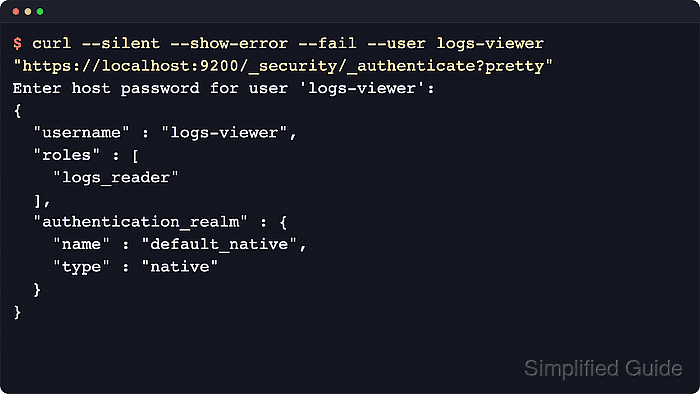
The role API stores named privilege sets in the security index, and the user API assigns one or more roles to a native account. A role can combine cluster privileges such as monitor with index privileges such as read and view_index_metadata, so the role should match the workload's real API calls and index pattern.
A logs_reader role and a logs-viewer account cover read-only access to logs-* indices for a log viewer identity. Use an authenticated account with the manage_security cluster privilege, let curl prompt for passwords instead of placing them after --user, and add the cluster CA file when a self-managed HTTPS endpoint uses a private certificate.
Steps to create users and roles in Elasticsearch:
- Authenticate as an administrative user before changing security objects.
$ curl --silent --show-error --fail \
  --cacert /etc/elasticsearch/certs/http_ca.crt \
  --user elastic \
  "https://elasticsearch.example.net:9200/_security/_authenticate?pretty"
Enter host password for user 'elastic':
{
  "username" : "elastic",
  "roles" : [
    "superuser"
  ],
  "full_name" : null,
  "email" : null,
  "metadata" : {
    "_reserved" : true
  },
  "enabled" : true,
  "authentication_realm" : {
    "name" : "reserved",
    "type" : "reserved"
  },
  "lookup_realm" : {
    "name" : "reserved",
    "type" : "reserved"
  },
  "authentication_type" : "realm"
}
Use any account that already has manage_security, and keep elastic for bootstrap-only administration where possible. Omit --cacert when the endpoint uses a publicly trusted certificate. If HTTP TLS was intentionally disabled, switch the URL to http:// and remove the CA option.
Related: How to configure Elasticsearch HTTP TLS - Create a role with the required cluster and index privileges.
$ curl --silent --show-error --fail \
  --cacert /etc/elasticsearch/certs/http_ca.crt \
  --user elastic \
  --header "Content-Type: application/json" \
  --request PUT "https://elasticsearch.example.net:9200/_security/role/logs_reader?pretty" \
  --data '{
  "cluster": ["monitor"],
  "indices": [
    {
      "names": ["logs-*"],
      "privileges": ["read", "view_index_metadata"]
    }
  ]
}'
Enter host password for user 'elastic':
{
  "role" : {
    "created" : true
  }
}
Reuse the same role name with PUT to update the stored privilege set, and keep index patterns and privileges as narrow as the workload allows.
- Review the stored role definition before assigning it to a user.
$ curl --silent --show-error --fail \
  --cacert /etc/elasticsearch/certs/http_ca.crt \
  --user elastic \
  "https://elasticsearch.example.net:9200/_security/role/logs_reader?pretty"
Enter host password for user 'elastic':
{
  "logs_reader" : {
    "cluster" : [
      "monitor"
    ],
    "indices" : [
      {
        "names" : [
          "logs-*"
        ],
        "privileges" : [
          "read",
          "view_index_metadata"
        ],
        "allow_restricted_indices" : false
      }
    ],
    "applications" : [ ],
    "run_as" : [ ],
    "metadata" : { },
    "transient_metadata" : {
      "enabled" : true
    }
  }
}
Checking the saved role first makes it easier to catch an over-broad wildcard or a missing cluster privilege before the user starts authenticating with it.
- Create a native user and assign the role.
$ curl --silent --show-error --fail \
  --cacert /etc/elasticsearch/certs/http_ca.crt \
  --user elastic \
  --header "Content-Type: application/json" \
  --request PUT "https://elasticsearch.example.net:9200/_security/user/logs-viewer?pretty" \
  --data '{
  "password": "ChangeMe-LogsViewer-92!",
  "roles": ["logs_reader"],
  "full_name": "Logs Viewer"
}'
Enter host password for user 'elastic':
{
  "created" : true
}
Replace the sample password before running the request. For production changes, submit the JSON from a protected file or a shell with history disabled, then store the credential in a secret manager.
Tool: Secure Password Generator - Confirm the user is enabled and mapped to the new role.
$ curl --silent --show-error --fail \ --cacert /etc/elasticsearch/certs/http_ca.crt \ --user elastic \ "https://elasticsearch.example.net:9200/_security/user/logs-viewer?pretty&filter_path=*.username,*.roles,*.enabled" Enter host password for user 'elastic': { "logs-viewer" : { "username" : "logs-viewer", "roles" : [ "logs_reader" ], "enabled" : true } } - Authenticate as the new user to confirm the account resolves through the native realm.
$ curl --silent --show-error --fail \
  --cacert /etc/elasticsearch/certs/http_ca.crt \
  --user logs-viewer \
  "https://elasticsearch.example.net:9200/_security/_authenticate?pretty"
Enter host password for user 'logs-viewer':
{
  "username" : "logs-viewer",
  "roles" : [
    "logs_reader"
  ],
  "full_name" : "Logs Viewer",
  "email" : null,
  "metadata" : { },
  "enabled" : true,
  "authentication_realm" : {
    "name" : "default_native",
    "type" : "native"
  },
  "lookup_realm" : {
    "name" : "default_native",
    "type" : "native"
  },
  "authentication_type" : "realm"
}
The default_native realm in the response confirms that the account is being served from the native realm rather than from the reserved built-in user set.
- Check the exact privileges as the new user.
$ curl --silent --show-error --fail \
  --cacert /etc/elasticsearch/certs/http_ca.crt \
  --user logs-viewer \
  --header "Content-Type: application/json" \
  --request POST "https://elasticsearch.example.net:9200/_security/user/_has_privileges?pretty" \
  --data '{
  "cluster": ["monitor"],
  "index": [
    {
      "names": ["logs-*"],
      "privileges": ["read", "view_index_metadata"]
    }
  ]
}'
Enter host password for user 'logs-viewer':
{
  "username" : "logs-viewer",
  "has_all_requested" : true,
  "cluster" : {
    "monitor" : true
  },
  "index" : {
    "logs-*" : {
      "read" : true,
      "view_index_metadata" : true
    }
  },
  "application" : { }
}
The _has_privileges API returns booleans for the requested privileges, so has_all_requested should be true before the account is handed to an application or operator.