How to manage index aliases in Elasticsearch
Managing index aliases in Elasticsearch lets applications keep using one stable name while an index is replaced behind it. That pattern is common after a reindex, shard-layout change, or staged validation pass because clients can keep writing to orders-current while the backing index is moved.
Alias changes are stored in cluster state through the /_aliases API. A single request can remove one binding and add another, so a cutover does not leave a gap where the alias points nowhere; setting is_write_index marks the target that receives indexing requests when an alias can resolve to more than one index.
Plain indices such as orders-2026.04 and orders-2026.04-v2 keep the alias cutover separate from managed data streams. Confirm the destination index has the wanted mappings and copied documents before switching the write alias, and use the cluster endpoint and credentials that match the target deployment.
Related: How to create an index in Elasticsearch
Related: How to reindex data in Elasticsearch
Tool: JSON Validator
Steps to manage Elasticsearch index aliases:
- Check the current write alias target.
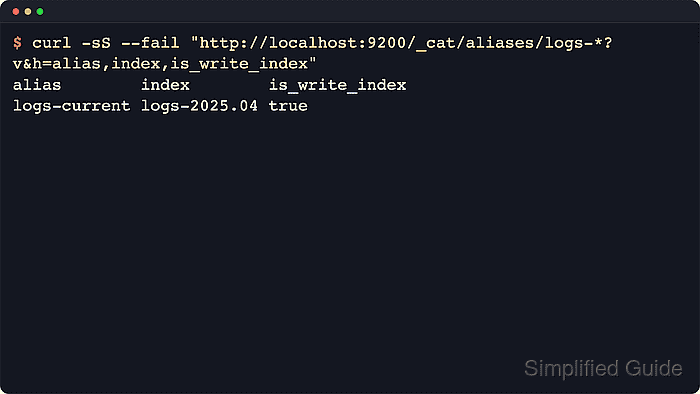
$ curl -sS --fail "http://localhost:9200/_cat/aliases/orders-current?v&h=alias,index,is_write_index"
alias          index          is_write_index
orders-current orders-2026.04 true
The _cat APIs are intended for human-readable terminal checks. Use the JSON-based /_alias endpoints in scripts or automation.
- Add a validation alias to the destination index.
$ curl -sS --fail -H "Content-Type: application/json" -X POST "http://localhost:9200/_aliases?pretty" -d '{
  "actions": [
    { "add": { "index": "orders-2026.04-v2", "alias": "orders-next" } }
  ]
}'
{
  "acknowledged" : true,
  "errors" : false
}
A separate validation alias keeps production traffic on orders-current while queries or dashboards are checked against orders-next.
- Search through the validation alias.
$ curl -sS --fail -H "Content-Type: application/json" -X POST "http://localhost:9200/orders-next/_search?pretty&size=1&filter_path=hits.total,hits.hits._index,hits.hits._source.order_id,hits.hits._source.status" -d '{
  "query": {
    "term": {
      "status": "ready"
    }
  }
}'
{
  "hits" : {
    "total" : {
      "value" : 1,
      "relation" : "eq"
    },
    "hits" : [
      {
        "_index" : "orders-2026.04-v2",
        "_source" : {
          "order_id" : "1002",
          "status" : "ready"
        }
      }
    ]
  }
}
A hit from orders-2026.04-v2 shows read traffic through orders-next reaches the destination before the production alias moves.
- Move the orders-current write alias to the destination index in one request.
$ curl -sS --fail -H "Content-Type: application/json" -X POST "http://localhost:9200/_aliases?pretty" -d '{
  "actions": [
    { "remove": { "index": "orders-2026.04", "alias": "orders-current", "must_exist": true } },
    { "add": { "index": "orders-2026.04-v2", "alias": "orders-current", "is_write_index": true } }
  ]
}'
{
  "acknowledged" : true,
  "errors" : false
}
The remove action uses must_exist so stale assumptions fail before the alias is re-added. Switch writes only after the destination index has the required mappings and document set.
- Inspect the alias definition after the cutover.
$ curl -sS --fail "http://localhost:9200/_alias/orders-current?pretty&filter_path=*.aliases.*.is_write_index"
{
  "orders-2026.04-v2" : {
    "aliases" : {
      "orders-current" : {
        "is_write_index" : true
      }
    }
  }
}
On secured clusters, replace http://localhost:9200 with the cluster HTTPS endpoint and add authentication such as -u elastic:password or an API key header.
- Write a validation document through the alias and confirm the request lands on the new index.
$ curl -sS --fail -H "Content-Type: application/json" -X PUT "http://localhost:9200/orders-current/_doc/alias-proof?refresh=wait_for&pretty" -d '{
  "order_id": "alias-proof",
  "status": "validated",
  "message": "alias write test",
  "message_length": 16
}'
{
  "_index" : "orders-2026.04-v2",
  "_id" : "alias-proof",
  "_version" : 1,
  "result" : "created",
  "_shards" : {
    "total" : 1,
    "successful" : 1,
    "failed" : 0
  },
  "_seq_no" : 1,
  "_primary_term" : 1
}
The returned _index value should show the destination index because the document was written through orders-current.
- Read the validation document from the destination index.
$ curl -sS --fail "http://localhost:9200/orders-2026.04-v2/_doc/alias-proof?pretty&_source=order_id,status,message" { "_index" : "orders-2026.04-v2", "_id" : "alias-proof", "_version" : 1, "_seq_no" : 1, "_primary_term" : 1, "found" : true, "_source" : { "order_id" : "alias-proof", "status" : "validated", "message" : "alias write test" } } - Remove the temporary alias after validation is complete.
$ curl -sS --fail -H "Content-Type: application/json" -X POST "http://localhost:9200/_aliases?pretty" -d '{
  "actions": [
    { "remove": { "index": "orders-2026.04-v2", "alias": "orders-next", "must_exist": true } }
  ]
}'
{
  "acknowledged" : true,
  "errors" : false
}
Keep the validation alias only when a staged consumer still needs it; otherwise remove it so application paths stay unambiguous.