How to send OpenTelemetry data to Elastic with the EDOT Collector
The EDOT Collector can sit between instrumented applications and Elastic Observability so applications send local OTLP traffic while the Collector handles batching, export headers, and delivery to Elastic. Keeping the Elastic endpoint and API key in the Collector configuration avoids placing backend credentials in every application process.
Elastic Cloud Managed OTLP Endpoint is the Elastic Cloud ingest path for OpenTelemetry logs, metrics, and traces. The Collector receives telemetry on local OTLP/gRPC or OTLP/HTTP ports and sends it onward with an otlp_http exporter that includes the required Authorization header.
Use an API key with the apm application event:write privilege and keep the key outside the saved Collector file. For self-managed, ECE, or ECK clusters, the Managed OTLP Endpoint is not available, so expose an EDOT gateway or use another Elastic-supported OpenTelemetry ingest path instead of pointing this Cloud configuration at a self-managed Elasticsearch URL.
Steps to send OpenTelemetry data to Elastic with the EDOT Collector:
- Copy the Managed OTLP endpoint from Elastic Cloud.
Elastic Cloud -> Manage -> Application endpoints -> Managed OTLP
Endpoint: https://otlp.elastic.example.net
Use the base endpoint value from Elastic Cloud, without appending /v1/logs, /v1/metrics, or /v1/traces. The Collector exporter adds the signal path when it sends each payload.
- Create an API key for OTLP ingest.
{
  "otlp_writer": {
    "applications": [
      {
        "application": "apm",
        "resources": ["*"],
        "privileges": ["event:write"]
      }
    ]
  }
}
The encoded key copied from Kibana or the Elasticsearch API does not include the ApiKey scheme. Add ApiKey before the key when setting the Collector header.
- Create a local environment file for the Collector values.
- edot-elastic.env
ELASTIC_AGENT_OTEL=true
ELASTIC_OTLP_ENDPOINT=https://otlp.elastic.example.net
ELASTIC_OTLP_API_KEY=ApiKey eyJ2ZXIiOiIxIiwiaWQiOiJvdGxwLX...
Keep this file out of Git, screenshots, terminal transcripts, and shared tickets because it contains a backend write key.
- Create the EDOT Collector configuration.
- collector-config.yaml
receivers:
  otlp:
    protocols:
      grpc:
        endpoint: 0.0.0.0:4317
      http:
        endpoint: 0.0.0.0:4318

processors:
  batch: {}

exporters:
  otlp_http/elastic:
    endpoint: ${env:ELASTIC_OTLP_ENDPOINT}
    headers:
      Authorization: ${env:ELASTIC_OTLP_API_KEY}

service:
  pipelines:
    traces:
      receivers: [otlp]
      processors: [batch]
      exporters: [otlp_http/elastic]
    metrics:
      receivers: [otlp]
      processors: [batch]
      exporters: [otlp_http/elastic]
    logs:
      receivers: [otlp]
      processors: [batch]
      exporters: [otlp_http/elastic]
otlp_http sends OTLP over HTTP to the Elastic endpoint. Keep otlp under receivers so applications can send to the local Collector by OTLP/gRPC or OTLP/HTTP.
Tool: OpenTelemetry Collector Config Generator - Start the EDOT Collector container.
$ docker run --detach --name edot-collector \
  --env-file edot-elastic.env \
  --volume "$PWD/collector-config.yaml:/etc/otelcol-config.yml:ro" \
  --publish 4317:4317 \
  --publish 4318:4318 \
  docker.elastic.co/elastic-agent/elastic-agent:9.4.2 \
  --config /etc/otelcol-config.yml
9f8d7c6b5a4e3d2c1b0a9876543210fedcba9876543210fedcba9876543210ab
The same config can move into a systemd service, Kubernetes deployment, or Docker Compose file after the local smoke test works.
Related: How to run the EDOT Collector in Docker
Related: How to deploy the EDOT Collector on Kubernetes - Check that the Collector is listening for OTLP/HTTP.
$ docker logs edot-collector
Starting elastic-otel-collector...
Starting HTTP server {"otelcol.component.id":"otlp","otelcol.component.kind":"receiver","endpoint":"[::]:4318"}
Everything is ready. Begin running and processing data.
- Create a smoke-test OTLP log payload.
- edot-smoke-log.json
{
  "resourceLogs": [
    {
      "resource": {
        "attributes": [
          {
            "key": "service.name",
            "value": {
              "stringValue": "edot-smoke-test"
            }
          }
        ]
      },
      "scopeLogs": [
        {
          "scope": {
            "name": "manual-curl-smoke-test"
          },
          "logRecords": [
            {
              "severityText": "INFO",
              "body": {
                "stringValue": "edot collector smoke test"
              },
              "attributes": [
                {
                  "key": "event.name",
                  "value": {
                    "stringValue": "edot.collector.smoke_test"
                  }
                }
              ]
            }
          ]
        }
      ]
    }
  ]
}
The OpenTelemetry Collector accepts JSON OTLP requests on OTLP/HTTP endpoints, which makes a small log payload enough to test the local receive path.
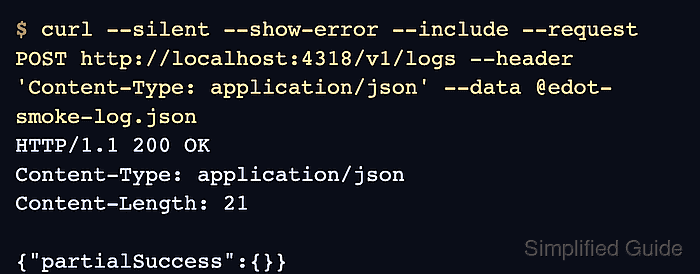
- Send the smoke-test log to the local Collector.
$ curl --silent --show-error --include --request POST http://localhost:4318/v1/logs \
  --header 'Content-Type: application/json' \
  --data @edot-smoke-log.json
HTTP/1.1 200 OK
Content-Type: application/json
Content-Length: 21

{"partialSuccess":{}}
A 200 OK response proves the Collector accepted the OTLP/HTTP request. Export failures still appear in Collector logs, so check logs again when the response is not followed by data in Elastic.
- Search for the smoke-test service in Elastic Observability.
Discover or Logs Explorer query:
service.name: "edot-smoke-test" and event.name: "edot.collector.smoke_test"
Use a time range that covers the smoke test. The log document confirms the Collector exported the payload and Elastic indexed it into the expected OpenTelemetry data stream.