How to run Playwright tests in a Docker container
Running Playwright tests in a Docker container keeps browser binaries, Linux libraries, and browser system dependencies consistent across developer machines and CI runners.
The official mcr.microsoft.com/playwright image includes Chromium, Firefox, WebKit, and the Linux packages those browsers need, but it does not include the project's @playwright/test dependency. The Playwright package version inside the project should match the Docker image tag so the runner can locate the correct browser executables.
Current Playwright Docker guidance recommends --init so PID 1 behaves cleanly and --ipc=host so Chromium has enough shared memory during test runs. The image uses root by default, which is acceptable for trusted end-to-end tests, while untrusted crawling or scraping should move to a non-root user plus a seccomp profile.
Related: How to run Playwright tests
Related: How to generate a Playwright HTML report
Steps to run Playwright tests in a Docker container:
- Open a terminal at the Playwright project root.
$ pwd
/workspace/playwright-demo
- Check the installed Playwright Test version so the Docker image tag uses the same release number.
$ npm list @playwright/test
playwright-demo@1.0.0 /workspace/playwright-demo
└── @playwright/test@1.58.2
Related: How to install Playwright with npm
- Pull the matching Playwright image from Microsoft Artifact Registry.
$ docker pull mcr.microsoft.com/playwright:v1.58.2-noble
v1.58.2-noble: Pulling from playwright
Digest: sha256:6446946a1d9fd62d9ae501312a2d76a43ee688542b21622056a372959b65d63d
Status: Image is up to date for mcr.microsoft.com/playwright:v1.58.2-noble
mcr.microsoft.com/playwright:v1.58.2-noble
Pinning the image tag keeps the browser bundle aligned with the Playwright package installed in the project. If CI startup time is dominated by pulling the browser image, estimate that pull window before changing runner cache or bandwidth assumptions.
- Run the Playwright suite inside the container.
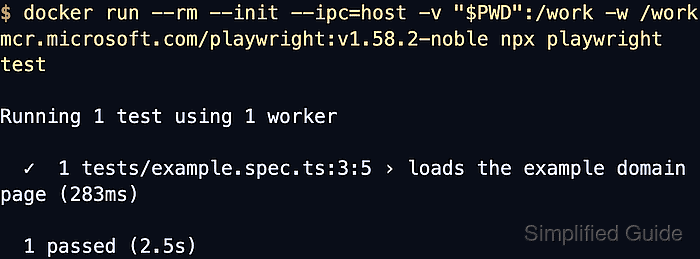
$ docker run --rm --init --ipc=host -v "$PWD":/work -w /work mcr.microsoft.com/playwright:v1.58.2-noble npx playwright test
Running 1 test using 1 worker

  ✓  1 tests/example.spec.ts:3:5 › loads the example domain page (283ms)

  1 passed (2.5s)
The official image already contains the browsers and Linux browser dependencies, so the bind-mounted project only needs its normal Node.js dependencies on disk.
Without --ipc=host, Chromium can run out of shared memory inside the default container IPC namespace and crash partway through the test run.
- Check the shell exit code from the last container run.
$ echo $?
0
Docker returns the test process exit code, so 0 means the containerized test run passed and non-zero values can be used directly in CI pipelines.