How to query DNS over TLS with dig
Plain DNS exposes each requested name and returned answer to networks between a client and its resolver. DNS over TLS, or DoT, carries the ordinary DNS exchange through a TLS connection on port 853, and dig can authenticate the resolver certificate instead of testing encryption alone.
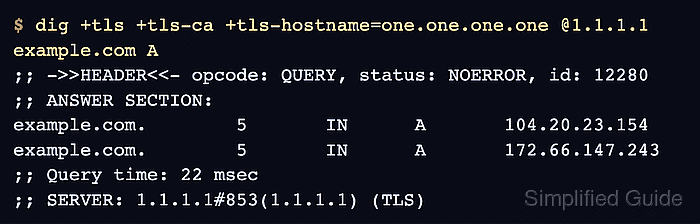
Current BIND releases provide dig with +tls for the encrypted transport, +tls-ca for certificate-chain validation, and +tls-hostname for certificate name validation. Omitting the CA and hostname checks can establish an encrypted session without proving which resolver answered.
The resolver address selects the network endpoint, while the TLS hostname identifies the expected service certificate. Cloudflare publishes 1.1.1.1 with one.one.one.one for this pairing; if the certificate chain or name check fails, dig stops before returning the requested record.
Related: How to query DNS records with dig
Steps to query DNS over TLS with dig:
- Query the A record for example.com through Cloudflare DoT with a deliberately incorrect TLS hostname.
$ dig +tls +tls-ca +tls-hostname=resolver.invalid @1.1.1.1 example.com A
;; TLS peer certificate verification for 1.1.1.1#853 failed: hostname mismatch
The hostname mismatch is the expected negative result. No DNS answer is returned because resolver.invalid is absent from the resolver certificate.
- Run the Cloudflare DoT query with the certificate hostname one.one.one.one.
$ dig +tls +tls-ca +tls-hostname=one.one.one.one @1.1.1.1 example.com A

; <<>> DiG 9.20.18-1ubuntu2.1-Ubuntu <<>> +tls +tls-ca +tls-hostname=one.one.one.one @1.1.1.1 example.com A
; (1 server found)
;; global options: +cmd
;; Got answer:
;; ->>HEADER<<- opcode: QUERY, status: NOERROR, id: 59238
##### snipped #####
;; ANSWER SECTION:
example.com.        101     IN      A       104.20.23.154
example.com.        101     IN      A       172.66.147.243

;; Query time: 6 msec
;; SERVER: 1.1.1.1#853(1.1.1.1) (TLS)
;; MSG SIZE  rcvd: 468
The A records and TTL can change. The NOERROR status and SERVER line ending in #853 … (TLS) show that the authenticated DoT query completed.