How to pin a Debian package version
Pin a Debian package version when a host must prefer a tested build from another enabled repository, such as backports, without changing the default source for the whole system. APT preferences change package selection priority, so one package can follow a chosen version while normal upgrades continue using the usual repository policy.
APT reads /etc/apt/preferences and files under /etc/apt/preferences.d when it calculates the candidate version. A package-specific record uses Package, Pin, and Pin-Priority fields to raise or lower the priority of matching versions.
Keep version pins narrow because they can block later security or compatibility updates for the named package. Use a priority below 1000 when the pin should prefer a version without forcing downgrades, and reserve priorities above 1000 for deliberate rollback work after dependency review.
Related: How to enable Debian backports
Related: How to hold a Debian package
Related: How to install a package on Debian with apt
Steps to pin a Debian package version with APT preferences:
- Refresh the APT package lists after enabling the repository that contains the target version.
$ sudo apt update
Hit:1 http://deb.debian.org/debian trixie InRelease
Hit:2 http://deb.debian.org/debian trixie-updates InRelease
Hit:3 http://deb.debian.org/debian-security trixie-security InRelease
Hit:4 http://deb.debian.org/debian trixie-backports InRelease
Reading package lists... Done
The example pins a tmux version from trixie-backports. Replace trixie, tmux, and the version string with the package and release visible on your host.
Related: How to enable Debian backports
- Check the available package versions and their current priorities.
$ apt-cache policy tmux
tmux:
  Installed: (none)
  Candidate: 3.5a-3
  Version table:
     3.6b-1~bpo13+1 100
        100 http://deb.debian.org/debian trixie-backports/main amd64 Packages
     3.5a-3 500
        500 http://deb.debian.org/debian trixie/main amd64 Packages
apt-cache policy shows the version APT would select as Candidate. Before the pin, the stable package remains candidate because priority 500 is higher than the backports priority 100.
- Create a package-specific preferences file for the exact version.
$ sudo tee /etc/apt/preferences.d/tmux.pref >/dev/null <<'EOF'
Package: tmux
Pin: version 3.6b-1~bpo13+1
Pin-Priority: 990
EOF
Do not use a priority above 1000 unless you intentionally want APT to allow a downgrade. A high-priority pin can replace a newer installed package when dependencies allow it.
- Verify that APT now selects the pinned version.
$ apt-cache policy tmux
tmux:
  Installed: (none)
  Candidate: 3.6b-1~bpo13+1
  Version table:
     3.6b-1~bpo13+1 990
        100 http://deb.debian.org/debian trixie-backports/main amd64 Packages
     3.5a-3 500
        500 http://deb.debian.org/debian trixie/main amd64 Packages
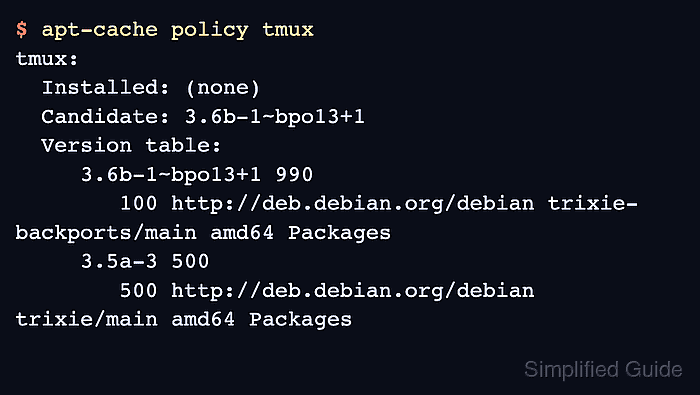
The version table should show the pinned version with the priority from the preferences file. The Candidate line proves that APT will choose that version for the named package.
- Simulate the install or upgrade before applying the pinned version.
$ sudo apt-get --simulate install tmux
Reading package lists... Done
Building dependency tree... Done
Reading state information... Done
The following additional packages will be installed:
  libevent-core-2.1-7t64 libjemalloc2
The following NEW packages will be installed:
  libevent-core-2.1-7t64 libjemalloc2 tmux
0 upgraded, 3 newly installed, 0 to remove and 2 not upgraded.
Inst libevent-core-2.1-7t64 (2.1.12-stable-10+b1 Debian:13.5/stable [amd64])
Inst libjemalloc2 (5.3.0-3 Debian:13.5/stable [amd64])
Inst tmux (3.6b-1~bpo13+1 Debian Backports:stable-backports [amd64])
Conf libevent-core-2.1-7t64 (2.1.12-stable-10+b1 Debian:13.5/stable [amd64])
Conf libjemalloc2 (5.3.0-3 Debian:13.5/stable [amd64])
Conf tmux (3.6b-1~bpo13+1 Debian Backports:stable-backports [amd64])
The Inst tmux line should name the pinned version. Run the real install or upgrade only after the simulation shows the package version and dependency changes you expect.