How to use cookies in cURL requests
Cookie-based web flows fail when a follow-up cURL request does not return the same state that a browser or earlier login received. Use cookies when an endpoint expects a session identifier, preference, CSRF handoff value, or other server-issued cookie on a later request.
Servers set cookies with the Set-Cookie response header, and clients return matching values in the Cookie request header. In cURL, --cookie sends either literal cookie data or cookies loaded from a Netscape-format jar. A name=value argument becomes request cookie data, while a file path lets cURL match cookies by domain, path, protocol, and expiry before sending them.
Inline cookies fit short tests where the values are already known. Cookie jars fit login, redirect, and refresh flows where the server sets or rotates cookies. --cookie-jar writes the jar after the transfer finishes, so a later command must pass the same file back with --cookie, and one jar should belong to one account or automation run.
Related: How to save cookies from a cURL request
Related: How to create a cookie file for cURL
Tool: cURL Command Generator
Steps to use cookies in cURL requests:
- Run a request without cookies so you have a clear before state.
$ curl --disable --silent --show-error https://httpbin.org/cookies
{
  "cookies": {}
}
--disable appears first so a local curlrc file cannot add hidden cookies, headers, or output options to the example request.
- Send one literal cookie with --cookie when you already know the name and value to return.
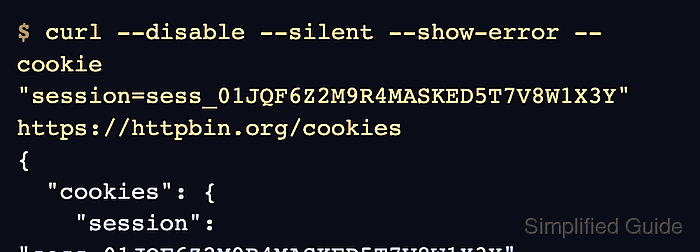
$ curl --disable --silent --show-error --cookie "session=sess_01JQF6Z2M9R4MASKED5T7V8W1X3Y" https://httpbin.org/cookies
{
  "cookies": {
    "session": "sess_01JQF6Z2M9R4MASKED5T7V8W1X3Y"
  }
}
If the argument contains =, cURL treats it as cookie header data instead of a filename.
- Send several cookies in one request by separating each pair with a semicolon inside the same --cookie string.
$ curl --disable --silent --show-error --cookie "session=sess_01JQF6Z2M9R4MASKED5T7V8W1X3Y; pref_region=ap-southeast-1; ui_theme=ops-dark" https://httpbin.org/cookies
{
  "cookies": {
    "pref_region": "ap-southeast-1",
    "session": "sess_01JQF6Z2M9R4MASKED5T7V8W1X3Y",
    "ui_theme": "ops-dark"
  }
}
This is useful for quick tests, but use a cookie jar instead when the server also cares about domain, path, secure, or expiry rules.
- Save a reusable cookie jar from a response that sets the session cookie.
$ curl --disable --silent --show-error --location --cookie-jar cookies.txt "https://httpbin.org/cookies/set?session=sess_01JQF6Z2M9R4MASKED5T7V8W1X3Y"
{
  "cookies": {
    "session": "sess_01JQF6Z2M9R4MASKED5T7V8W1X3Y"
  }
}
--location follows the redirect to /cookies so the response body shows the cookie that was just set. --cookie-jar writes the jar after the request completes.
- Restrict the jar so only the current account can read and update it.
$ chmod 600 cookies.txt
Cookie jars are plain text and can contain live session identifiers. Keep them out of shared directories, tickets, and screenshots.
- Send the saved cookie back on a later request by passing the jar file to --cookie.
$ curl --disable --silent --show-error --cookie cookies.txt https://httpbin.org/cookies
{
  "cookies": {
    "session": "sess_01JQF6Z2M9R4MASKED5T7V8W1X3Y"
  }
}
cURL reads the jar, matches the cookie against the request URL, and sends only the cookies that belong on that request.
- Read and write the same jar in one command when the server rotates the session cookie.
$ curl --disable --silent --show-error --location --cookie cookies.txt --cookie-jar cookies.txt "https://httpbin.org/cookies/set?session=sess_01JQH1P7T6N2MASKED4R8K3M9X5C"
{
  "cookies": {
    "session": "sess_01JQH1P7T6N2MASKED4R8K3M9X5C"
  }
}
This keeps one file current across a login or refresh flow. Use one jar per identity so cookies from different accounts do not overwrite each other.
- Confirm the later request sends the rotated value before you reuse the jar in a longer script.
$ curl --disable --silent --show-error --cookie cookies.txt https://httpbin.org/cookies
{
  "cookies": {
    "session": "sess_01JQH1P7T6N2MASKED4R8K3M9X5C"
  }
}
If the response still shows the earlier value, check the request host, path, protocol, and cookie expiry before assuming the jar was ignored.
- Remove the jar when the session is no longer needed.
$ rm -f cookies.txt
Cookie jars are plain-text session state. Deleting short-lived jars reduces accidental reuse and token exposure.