How to style a code block with CSS
Code samples in documentation need to preserve indentation without forcing the whole page wider than the viewport. A focused CSS style on the pre block keeps the code readable, contains long lines inside their own scroll area, and leaves the copied text unchanged.
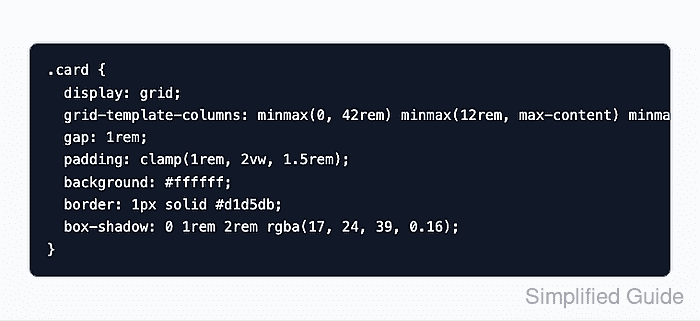
The pre element should own the block layout because browsers already treat it as preformatted content. The nested code element can inherit the same font and color, so syntax-free snippets, terminal examples, and configuration fragments use one consistent surface.
Use horizontal scrolling as the default for commands and source code where line breaks matter. Add a separate wrapping modifier only for prose-like snippets or generated output where reflowing long strings will not change what the reader needs to copy.
Steps to style a CSS code block:
- Add a class to the pre element that wraps the code sample.
<pre class="code-block" tabindex="0"><code>.card {
  display: grid;
  grid-template-columns: minmax(0, 1fr) auto;
}</code></pre>
tabindex=“0” lets keyboard users focus a horizontally scrollable block. Leave line numbers, prompts, and labels outside the copied code text unless they are part of the sample.
Related: How to style keyboard focus with CSS - Preserve formatting and keep long lines inside the block.
.code-block {
  max-inline-size: 100%;
  overflow-x: auto;
  white-space: pre;
  tab-size: 2;
}
white-space: pre preserves indentation and line breaks. overflow-x: auto creates a horizontal scroll area only when a line is wider than the block.
- Add the visual surface and monospace font stack.
.code-block {
  padding: 1rem 1.125rem;
  border: 1px solid #374151;
  border-radius: 0.5rem;
  background: #111827;
  color: #f9fafb;
  font: 0.95rem/1.6 ui-monospace, SFMono-Regular, Menlo, Consolas, "Liberation Mono", monospace;
}
The foreground and background colors above pass the WCAG 4.5:1 minimum contrast threshold for normal text. Replace both values together when the block must match another theme.
- Let nested code inherit the block styles.
.code-block code {
  font: inherit;
  color: inherit;
}
This avoids a second font size, color, or line-height rule from the site's global code styling.
- Add a wrapping modifier only for snippets where reflow is acceptable.
.code-block--wrap {
  white-space: pre-wrap;
  overflow-wrap: anywhere;
}
Do not use the wrapping modifier for commands, indentation-sensitive code, or copied configuration when exact line breaks matter.
- Test the styled block in the browser console at a narrow viewport.
const block = document.querySelector(".code-block");
({
  overflowX: getComputedStyle(block).overflowX,
  whiteSpace: getComputedStyle(block).whiteSpace,
  tabSize: getComputedStyle(block).tabSize,
  scrollsInsideBlock: block.scrollWidth > block.clientWidth
});
{
  overflowX: "auto",
  whiteSpace: "pre",
  tabSize: "2",
  scrollsInsideBlock: true
}
- Check the page at mobile width and keep the document itself from scrolling sideways.
document.documentElement.scrollWidth === document.documentElement.clientWidth;
true
If the page still scrolls horizontally, inspect the surrounding container before changing the code block rule. A parent with fixed width can still overflow even when the code block uses max-inline-size: 100%.
Related: How to fix CSS horizontal overflow