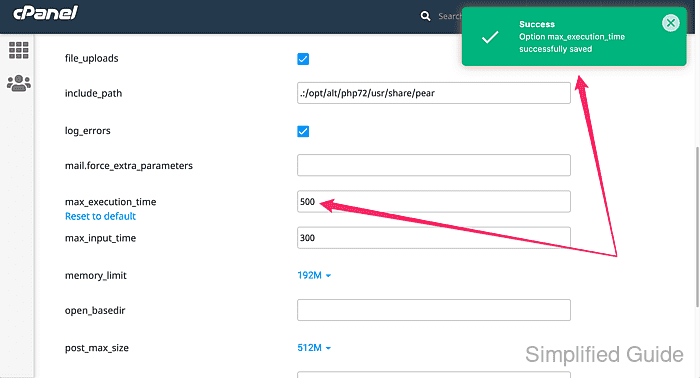
How to increase PHP maximum execution time in cPanel
PHP scripts are limited by default to 30 seconds of execution time. This is controlled by the max_execution_time directive, which stops scripts that exceed this limit. If a script runs beyond this time, you will encounter the error:
Fatal error: Maximum execution time of 30 seconds exceeded in yourscript.php
For resource-heavy scripts or specific server tasks, this default limit may need to be increased.
In cPanel hosting environments, direct access to the php.ini file is not available. However, you can still modify the max_execution_time using alternative methods. This can be done through cPanel's dashboard or by using specific functions within your code. These adjustments allow your scripts to run longer without being prematurely terminated.
Increasing the PHP execution time ensures scripts have adequate time to complete tasks. This is especially important for sites running large database queries, backups, or third-party integrations. Even though full control over the PHP configuration file may not be available in cPanel, extending the time limit is possible through a few simple steps.
Steps to increase PHP max_execution_time in cPanel:
- Log in to your cPanel dashboard.
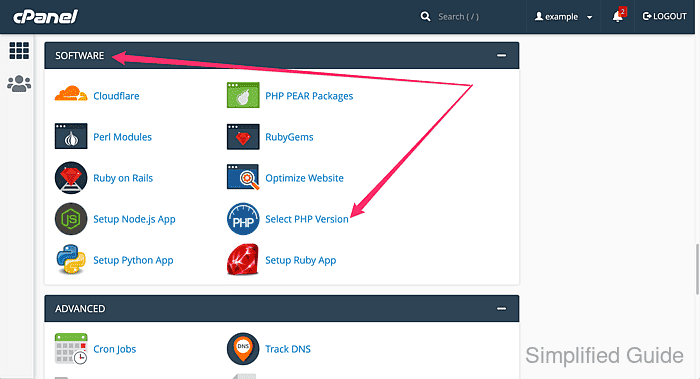
- Go to the Software sectionn and click on Select PHP Version.
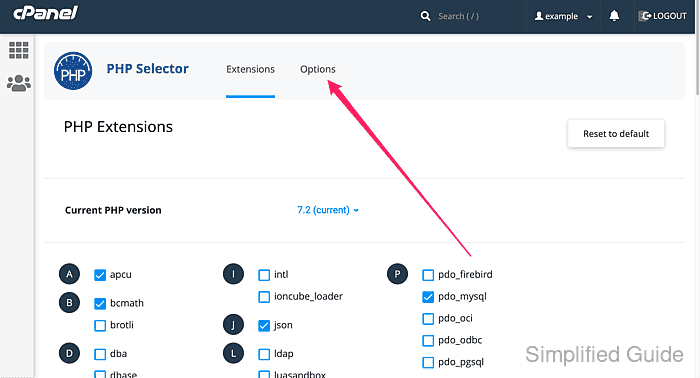
- Click on Options tab.
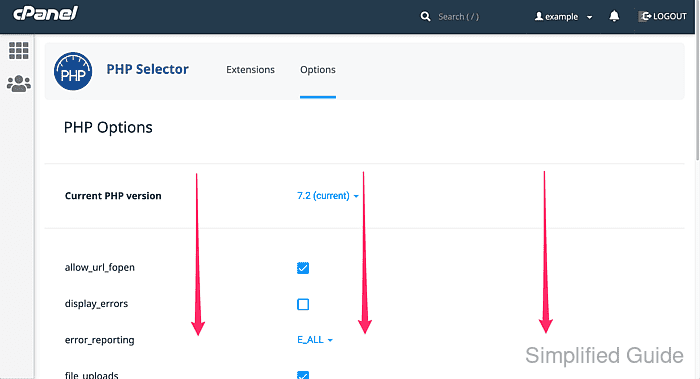
- Scroll down and look for max_execution_time and click on the value field.
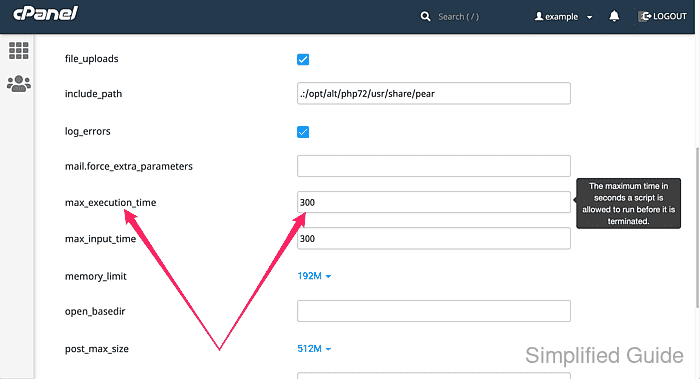
- Enter the desired value in seconds and wait for the value to be saved automatically.