How to enable and disable PHP modules in cPanel
PHP operates through modules or extensions that offer various functionalities. These modules can be enabled or disabled depending on the requirements of your web application. Enabling too many unnecessary modules can lead to performance degradation and potential security risks, while disabling unused ones can optimize the system's performance and security.
In cPanel, users cannot manually install third-party PHP modules but can manage the existing ones. The platform provides a range of pre-installed PHP extensions, which can be activated or deactivated through a user-friendly interface. This allows you to control which PHP features are available for your web applications.
It is essential to keep track of which PHP version is being configured since different versions may support different modules. Adjusting the module selection for one version does not automatically apply to others. Therefore, ensuring that you have configured the correct PHP version and modules for each specific use case is important.
Steps to manage PHP extensions in cPanel:
- Log in to your cPanel dashboard.
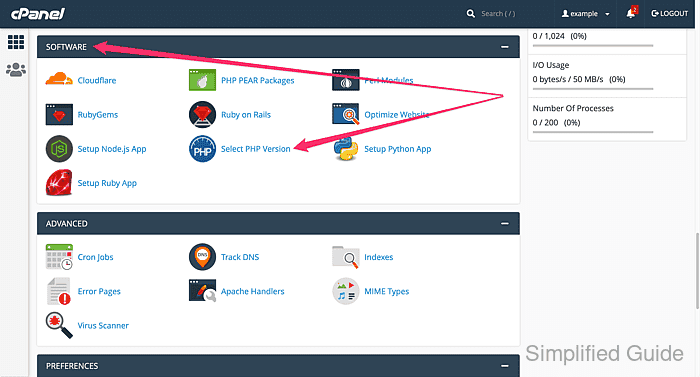
- Navigate to the Software section and click on Select PHP Version.
- Verify the current PHP version you are configuring.
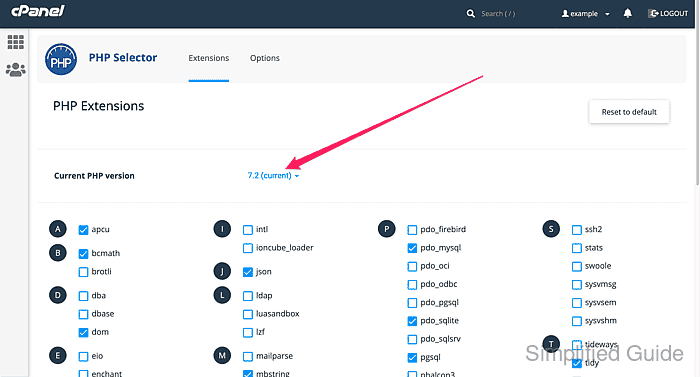
Modules are enabled and disabled only for the selected PHP version. If you change the version, you will need to configure the modules again.
Related: How to change PHP version in cPanel
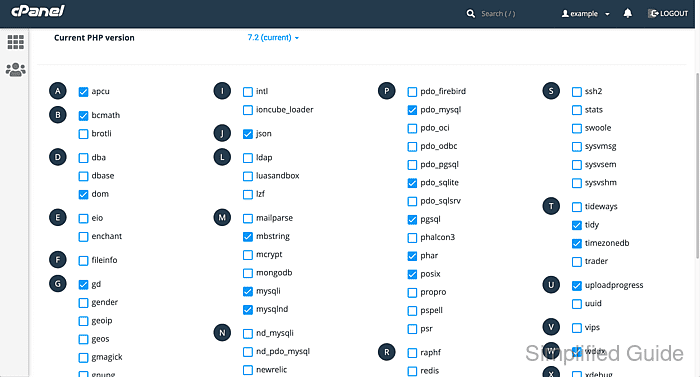
- Scroll down to view the list of available PHP modules.
- Hover on the checkbox to see the module description (optional).
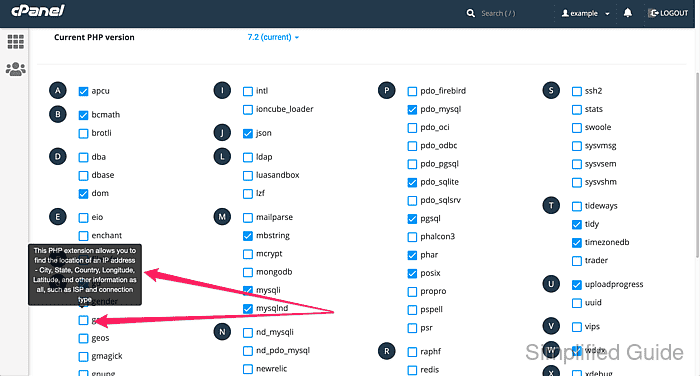
- Check or uncheck the boxes to enable or disable specific PHP modules.
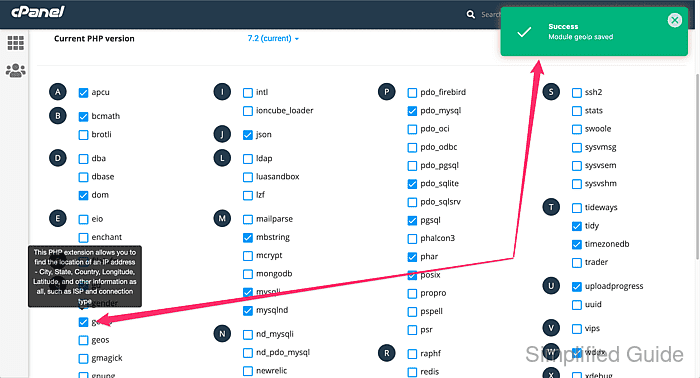
Changes are applied immediately when you select or deselect a module.