How to add and configure MX records in cPanel
MX records (Mail Exchanger) control how email is delivered to your domain by directing it to the appropriate mail server. By default, cPanel sets these records to point to its own mail server. However, if you use a third-party email service like Gmail or a custom mail server, you'll need to modify the MX records in cPanel. This ensures that your email traffic is routed to the correct server.
To configure MX records in cPanel, you must delete existing entries and add new ones specific to your mail server. Each MX record includes a priority value that determines which server will handle emails first when there are multiple entries. Lower priority numbers are preferred. Adjusting MX record priority ensures smooth email routing, especially for domains using multiple mail servers.
Before making any changes, verify that your domain’s nameservers are set to your cPanel host. This is necessary because DNS records, including MX, are managed through cPanel. Without proper nameserver configuration, changes to MX records will not take effect.
Steps to add and configure MX records in cPanel:
- Log in to your cPanel account.
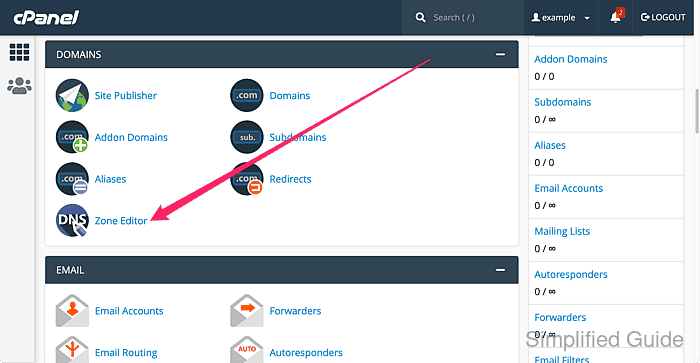
- Go to the Domains section and click Zone Editor.
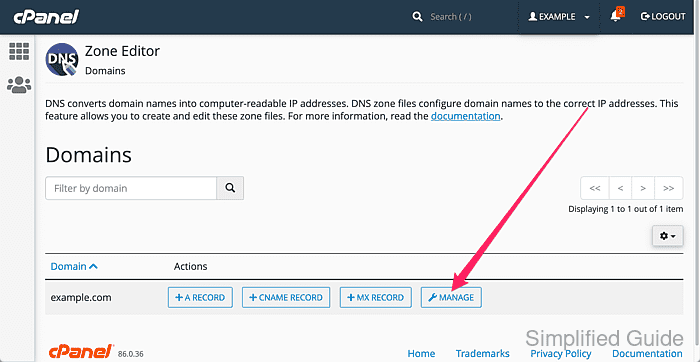
- Select Manage to view and edit DNS records.
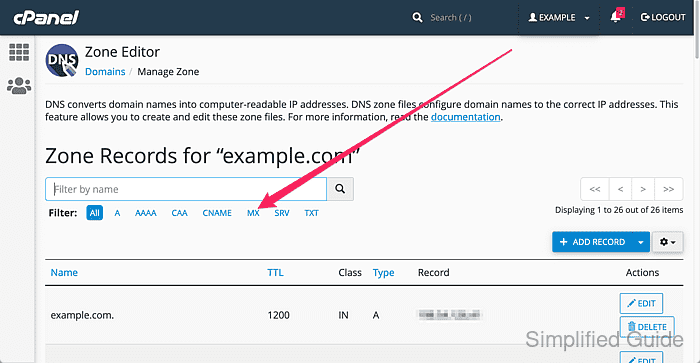
- Filter by MX to display Mail Exchanger records.
- Delete any existing MX records.
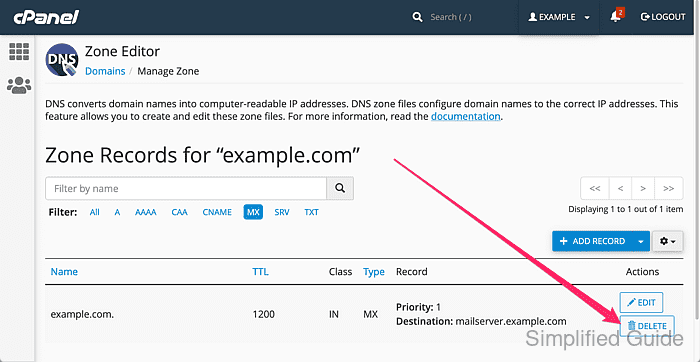
Make sure you are deleting the correct MX record. Removing the wrong record may disrupt email delivery for your domain.
- Confirm the deletion of each MX record.
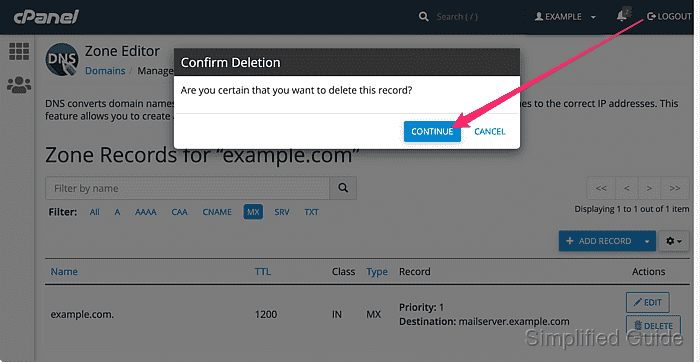
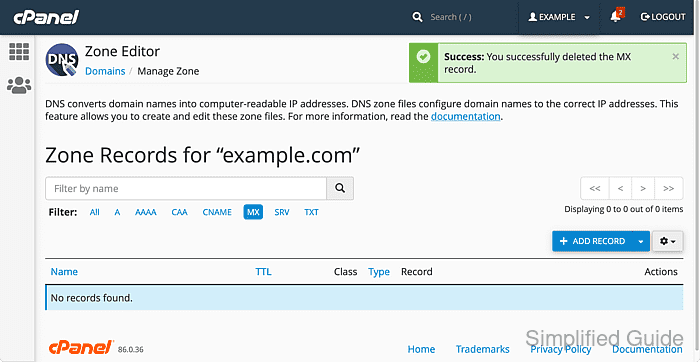
- Continue deleting other MX records if you have multiple MX record entries.
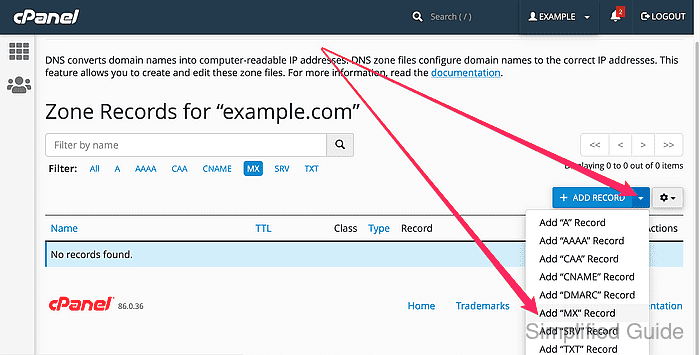
- Click down arrow on the Add Record select list and click on Add ''MX'' Record.
- Enter the priority and the mail server name and click on the Add Record button.
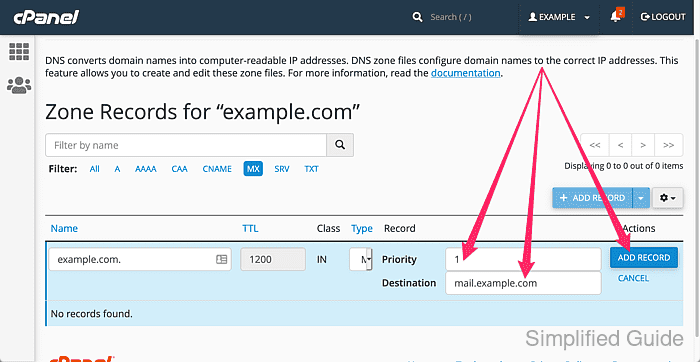
Priority is an integer value where a mail server with a lower priority number will be preferred over one with a higher number. This is especially important when you have multiple mail servers.
- Repeat the process for additional MX records, if needed.
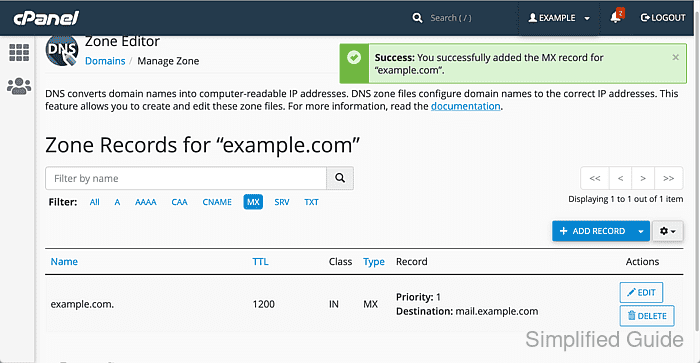
- Verify the domain's public MX records after DNS propagation so the displayed priority and mail server names match the records you added.
Tool: MX Record Lookup