How to query Checkmk status data with Livestatus
Livestatus lets a Checkmk site return current host and service status from the monitoring core without opening the web interface. Querying it from the site shell helps automation, dashboards, and troubleshooting notes read a narrow status view from the live data Checkmk is using at that moment.
The lq command runs as the Checkmk site user and sends Livestatus Query Language, or LQL, to the local Unix socket. Query lines are case-sensitive, so GET, Columns, Filter, and other headers must keep the expected spelling and capitalization.
Use the local socket for server-side scripts whenever possible. Remote Livestatus access is a separate TCP/TLS setup, and COMMAND requests can change monitoring state. Read-only GET queries keep status collection separate from acknowledgements, downtimes, and forced checks.
Related: How to query the Checkmk REST API
Related: How to start and stop a Checkmk site
Steps to query Checkmk status data with Livestatus:
- Open a shell as the Checkmk site user.
$ sudo su - mysite
OMD[mysite]:~$
Replace mysite with the site name. The lq command and local Livestatus socket are available inside the site environment.
- List a small set of host states.
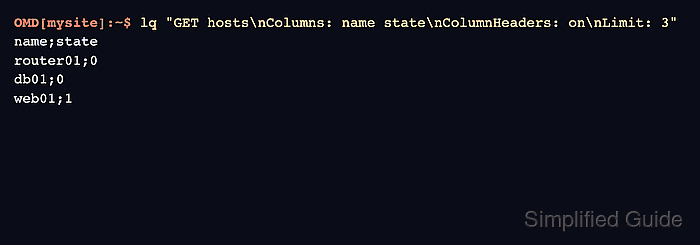
OMD[mysite]:~$ lq "GET hosts\nColumns: name state\nColumnHeaders: on\nLimit: 3"
name;state
router01;0
db01;0
web01;1
state is numeric. For hosts, 0 means UP and 1 means DOWN. Keep ColumnHeaders during early testing so scripts map fields correctly.
- Query services that match a problem state.
OMD[mysite]:~$ lq "GET services\nColumns: host_name description state\nFilter: state = 2\nLimit: 5"
db01;Filesystem /var;2
web01;HTTP;2
For services, 0 is OK, 1 is WARN, 2 is CRIT, and 3 is UNKNOWN. No rows means no services matched the filter, not necessarily a failed query.
- Filter one host's service rows.
OMD[mysite]:~$ lq "GET services\nColumns: host_name description state plugin_output\nFilter: host_name = web01\nLimit: 3"
web01;CPU load;0;OK - 15 min load: 0.24
web01;Filesystem /;0;OK - 42.1% used
web01;HTTP;2;CRIT - HTTP returned status 503
Filter headers do not have to appear in Columns. Add AuthUser when a script should see only objects that a specific Checkmk user is allowed to view.
- Request JSON output when another program will parse the response.
OMD[mysite]:~$ lq "GET services\nColumns: host_name description state\nFilter: host_name = web01\nOutputFormat: json"
[
  ["web01","CPU load",0],
  ["web01","Filesystem /",0],
  ["web01","HTTP",2]
]
Use lower-case json. Checkmk distinguishes lower-case csv, upper-case CSV, and the other OutputFormat values.
- Verify that the low-level socket answers when lq is not the right wrapper.
OMD[mysite]:~$ printf "GET hosts\nColumns: name\nLimit: 1\n" | unixcat ~/tmp/run/live
router01
unixcat is included in the Checkmk site environment. Use this form for simple shell scripts that should talk directly to the local socket path at /omd/sites/mysite/tmp/run/live.