How to clean up temporary files in Bash with trap
Temporary workspaces let shell scripts assemble reports, archives, or converted data without mixing partial files into the final destination. A script that exits before its last command can leave that workspace behind unless cleanup is tied to the shell lifecycle.
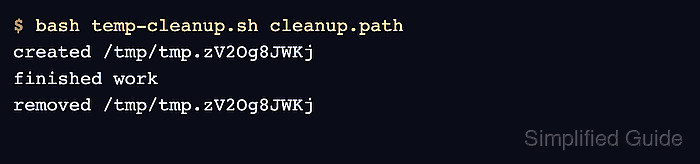
The Bash EXIT pseudo-signal runs its trap before the shell terminates. Capturing $? at the start of the handler preserves the pending result, so a failed workload still reports failure after its files are removed.
The mktemp command creates an unpredictable directory name and prints the resulting path. Initializing the variable before trap registration, checking that it is nonempty, and requiring an existing directory constrain recursive removal to the workspace created by the script.
Related: How to create and run a Bash script
Related: How to use here-documents in Bash
Steps to clean up temporary files in Bash with trap:
- Initialize temp-cleanup.sh for strict execution before trap registration.
- temp-cleanup.sh
#!/usr/bin/env bash
set -euo pipefail

mode=${1:-ok}
workdir=
Initializing workdir keeps the later guard valid if the shell exits before mktemp assigns a path.
- Add the cleanup function before the workload.
cleanup() {
    local status=$?
    trap - EXIT

    if [[ -n $workdir && -d $workdir ]]; then
        rm -rf -- "$workdir"
        printf 'removed %s\n' "$workdir"
    fi

    exit "$status"
}
The quoted rm operand receives only the path stored by mktemp after both guards succeed. Recursive removal can destroy unrelated data if the variable is assigned from another source.
- Register cleanup for the shell's EXIT pseudo-signal.
trap cleanup EXIT - Append the report workload after trap registration.
workdir=$(mktemp --directory "${TMPDIR:-/tmp}/report-cleanup.XXXXXX")
printf 'created %s\n' "$workdir"
printf 'report data\n' > "$workdir/report.txt"

if [[ $mode == fail ]]; then
    printf 'simulated failure\n' >&2
    false
fi

printf 'finished work\n'
The fail argument supplies a controlled nonzero path for testing the handler; the default path reaches the final success message.
- Compare temp-cleanup.sh with the consolidated file.
- temp-cleanup.sh
#!/usr/bin/env bash
set -euo pipefail

mode=${1:-ok}
workdir=

cleanup() {
    local status=$?
    trap - EXIT

    if [[ -n $workdir && -d $workdir ]]; then
        rm -rf -- "$workdir"
        printf 'removed %s\n' "$workdir"
    fi

    exit "$status"
}

trap cleanup EXIT

workdir=$(mktemp --directory "${TMPDIR:-/tmp}/report-cleanup.XXXXXX")
printf 'created %s\n' "$workdir"
printf 'report data\n' > "$workdir/report.txt"

if [[ $mode == fail ]]; then
    printf 'simulated failure\n' >&2
    false
fi

printf 'finished work\n'
- Check temp-cleanup.sh for Bash syntax errors.
$ bash -n temp-cleanup.sh
- Run the default success path.
$ bash temp-cleanup.sh
created /tmp/report-cleanup.xAawk7
finished work
removed /tmp/report-cleanup.xAawk7
- Confirm the successful run's printed directory is absent.
$ ls -ld /tmp/report-cleanup.xAawk7
ls: cannot access '/tmp/report-cleanup.xAawk7': No such file or directory
- Run the controlled failure path.
$ bash temp-cleanup.sh fail
created /tmp/report-cleanup.wc7Ege
simulated failure
removed /tmp/report-cleanup.wc7Ege
- Print the failed run's retained exit status.
$ printf 'exit_status=%d\n' "$?"
exit_status=1
Status 1 shows that cleanup did not convert the failed workload into a successful script result.
- Confirm the failed run's printed directory is absent.
$ ls -ld /tmp/report-cleanup.wc7Ege
ls: cannot access '/tmp/report-cleanup.wc7Ege': No such file or directory