How to create and run a Bash script
Repeated terminal commands are easier to review and rerun when they live in a Bash script instead of a shell history entry. A working script needs an interpreter line, predictable error behavior, and a run path that shows whether it succeeds.
The first line tells the operating system which interpreter should run the file, while the executable bit controls whether the file can be launched directly. Bash can also parse the script with bash -n before it runs, which catches syntax errors without executing any commands.
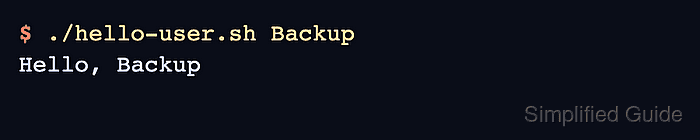
A small argument-aware script is enough to prove the mechanics without adding unrelated shell features. The file is parsed with bash -n, run through Bash first, then marked executable and launched with ./hello-user.sh so both run paths are tested.
Steps to create and run a Bash script:
- Create a directory for local shell scripts and move into it.
$ mkdir -p ~/scripts
$ cd ~/scripts
Use a project directory instead when the script belongs to an application, deployment, or team repository.
- Create the script file with a Bash shebang and a simple argument fallback.
- ~/scripts/hello-user.sh
#!/usr/bin/env bash
set -euo pipefail

name=${1:-operator}
printf "Hello, %s\n" "$name"
The #!/usr/bin/env bash line asks the environment to find Bash in the current PATH. The set -euo pipefail line stops the script on common error conditions instead of continuing silently.
- Check the script syntax before running it.
$ bash -n hello-user.sh
bash -n parses the file without executing the commands inside it. No output means the parser did not find a syntax error.
Related: How to debug a Bash script
- Run the script by passing it directly to Bash.
$ bash hello-user.sh Ops
Hello, Ops
- Mark the script executable for the file owner.
$ chmod u+x hello-user.sh
The u+x mode adds owner execute permission and leaves the existing group and other permissions unchanged. Use a stricter mode such as chmod 700 hello-user.sh when the script contains private commands or data.
- Run the script through its executable path.
$ ./hello-user.sh Backup
Hello, Backup
- Confirm that the owner permission triplet includes execute permission.
$ ls -l hello-user.sh
-rwxr--r-- 1 operator operator 88 Jun  5 02:11 hello-user.sh
The group and other permission bits depend on the file's original mode and the current shell's default file mask. The key signal from chmod u+x is the x in the owner permission triplet.
- Keep the script in the scripts directory or move it to a directory that is already in PATH after the direct run works.