How to compile a Bash script to a binary
Compiling a Bash script with shc creates an executable wrapper that hides the plain script body and can be distributed like another local binary. Operators can keep a command-style entry point such as hello instead of shipping a readable .sh file.
shc reads the script named with -f, writes generated C source to a .x.c file, and uses the system C compiler to build the executable. The compiled file still depends on the shell named in the script shebang and on normal system libraries, so it is not a static or fully independent program.
Use a direct shebang such as #!/bin/bash before compiling. If shc reports Unknown shell (env) for #!/usr/bin/env bash, switch to a direct shell path or supply the explicit -i, -x, and -l options before relying on the generated binary.
Related: How to create and run a Bash script
Steps to compile a Bash script to a binary:
- Refresh the APT package index on Ubuntu or Debian.
$ sudo apt update
- Install shc and GCC.
$ sudo apt install --assume-yes gcc shc
Reading package lists... Done
Building dependency tree... Done
The following NEW packages will be installed:
  gcc shc
##### snipped #####
Setting up shc (4.0.3-1ubuntu2) ...
Setting up gcc (4:15.2.0-5ubuntu1) ...
- Confirm that the script starts with a direct Bash shebang.
- hello.sh
#!/bin/bash
name=${1:-world}
printf 'Hello, %s!\n' "$name"
shc can compile other shell scripts when the matching -i, -x, and -l options are supplied. For a normal Bash script, a direct #!/bin/bash shebang keeps the default compile step simple.
- Compile the script with shc and name the output binary hello.
$ shc -f hello.sh -o hello
- List the generated files.
$ ls -l hello hello.sh hello.sh.x.c
-rwxrwxr-x 1 user user 68264 Jun  5 02:10 hello
-rwxr-xr-x 1 user user    59 Jun  5 02:10 hello.sh
-rw-r--r-- 1 user user 17891 Jun  5 02:10 hello.sh.x.c
The hello file is the executable wrapper. The hello.sh.x.c file is generated C source used to build that wrapper.
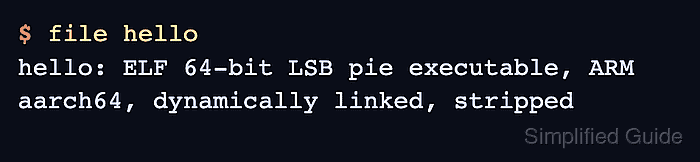
- Check that the generated executable is an ELF binary.
$ file hello
hello: ELF 64-bit LSB pie executable, ARM aarch64, version 1 (SYSV), dynamically linked, interpreter /lib/ld-linux-aarch64.so.1, BuildID[sha1]=98f5f6c5e7a9ea25f44e77a48edd2f38a64cfeb6, for GNU/Linux 3.7.0, stripped
The architecture in the output matches the system where shc and GCC built the binary.
- Run the generated executable with the same arguments as the original script.
$ ./hello Bob
Hello, Bob!
- Check the runtime library dependencies before distributing the binary to another system.
$ ldd hello
	linux-vdso.so.1 (0x0000ffff939cc000)
	libc.so.6 => /usr/lib/aarch64-linux-gnu/libc.so.6 (0x0000ffff93790000)
	/lib/ld-linux-aarch64.so.1 (0x0000ffff93990000)
ldd shows system libraries, but shc also needs the shell named by the script shebang when the binary runs.