How to use JMESPath queries in AWS CLI
Large AWS CLI responses can bury the one field, count, or object shape needed for a handoff. A JMESPath query narrows the response before it reaches the terminal, so interactive checks stay readable and scripts receive a predictable value instead of a full service payload.
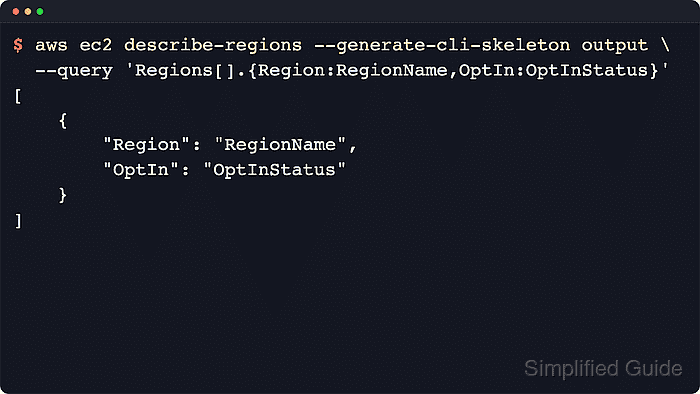
The --query option runs inside AWS CLI after the service response is received. Service-side filters, where a command supports them, reduce the response first; the JMESPath expression then projects fields, filters returned objects, builds smaller labeled objects, sorts lists, counts items, or selects a scalar for the selected --output renderer.
Shell quoting affects what reaches AWS CLI. The examples below use Linux and macOS single-quote quoting, with backtick literals inside JMESPath comparisons. Build expressions with json, yaml, or yaml-stream while checking the shape, because AWS CLI applies --query once per page when --output text is used with paginated commands.
Related: How to set AWS CLI default output format
Related: How to generate an AWS CLI input skeleton
Related: How to save AWS CLI output to a file
Tool: JSON Formatter
Steps to use JMESPath queries in AWS CLI:
- Inspect the sample response shape for the command.
$ aws ec2 describe-regions --region us-west-2 --generate-cli-skeleton output
{
    "Regions": [
        {
            "OptInStatus": "OptInStatus",
            "Geography": [
                {
                    "Name": "Name"
                }
            ],
            "RegionName": "RegionName",
            "Endpoint": "Endpoint"
        }
    ]
}
--generate-cli-skeleton output validates command inputs and returns local sample output without sending an AWS API request. Generated skeletons can change between AWS CLI versions.
Related: How to generate an AWS CLI input skeleton - Project one field from each list item.
$ aws ec2 describe-regions --region us-west-2 --generate-cli-skeleton output --query 'Regions[].RegionName' --output json
[
    "RegionName"
]
The list[].field pattern turns a list of objects into a list of names, IDs, ARNs, or other single fields.
- Return a labeled object when fields must stay together.
$ aws ec2 describe-regions --region us-west-2 --generate-cli-skeleton output --query 'Regions[].{Region:RegionName,Endpoint:Endpoint}' --output json
[
    {
        "Region": "RegionName",
        "Endpoint": "Endpoint"
    }
]
A multiselect hash such as {Region:RegionName,Endpoint:Endpoint} keeps selected fields and renames the output keys.
- Filter objects with a JMESPath comparison.
$ aws ec2 describe-regions --region us-west-2 --generate-cli-skeleton output --query 'Regions[?RegionName==`RegionName`].{Region:RegionName,Status:OptInStatus}' --output json
[
    {
        "Region": "RegionName",
        "Status": "OptInStatus"
    }
]
Use service-side filters such as --filters first when the command supports them. The [? ... ] expression then filters the returned JSON locally, and literal values inside the expression use backticks such as `RegionName`.
- Select one scalar after a projection with a JMESPath pipe.
$ aws ec2 describe-regions --region us-west-2 --generate-cli-skeleton output --query 'Regions[].RegionName | [0]' --output text
RegionName
The | operator passes the projected result to the next expression, which can choose one item after filtering or reshape a list before output.
- Count the list when the total is the needed output.
$ aws ec2 describe-regions --region us-west-2 --generate-cli-skeleton output --query 'length(Regions)' --output json
1
length() returns a number instead of an array, so it fits quick checks and script conditions that need only a count.
- Sort the list before returning the selected fields.
$ aws ec2 describe-regions --region us-west-2 --generate-cli-skeleton output --query 'sort_by(Regions, &RegionName)[].{Region:RegionName,Endpoint:Endpoint}' --output json
[
    {
        "Region": "RegionName",
        "Endpoint": "Endpoint"
    }
]
The &RegionName expression tells sort_by() which field to compare before the final projection runs.
- Switch to ordered text columns only after the query shape is final.
$ aws ec2 describe-regions --region us-west-2 --generate-cli-skeleton output --query 'Regions[].[RegionName,Endpoint]' --output text
RegionName	Endpoint
Use a list projection such as [RegionName,Endpoint] when column order matters. For paginated live commands, test with json, yaml, or yaml-stream before switching to --output text.