How to run AWS CLI commands from an input JSON file
Long AWS CLI commands with nested lists or structures are easy to break during review, ticket handoff, or automation reuse. Moving service parameters into a JSON input file lets the command line stay short while the actual request values can be inspected before the CLI parses them.
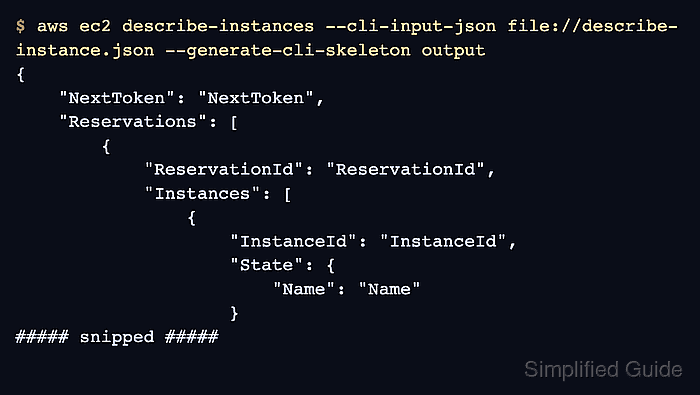
The input file follows the command's generated skeleton. Its keys use the underlying AWS API parameter names rather than the hyphenated option names typed at the shell, so start from a generated template instead of hand-naming fields.
Not every aws command family supports skeleton input. High-level custom commands such as aws s3 are outside this pattern, and generated skeletons can change between AWS CLI versions. Keep global settings in the shell command when they are not part of the generated service request.
Steps to run AWS CLI commands from an input JSON file:
- Generate a JSON input skeleton for the command that will read the file.
$ aws ec2 describe-instances --generate-cli-skeleton input > describe-instance.json
The skeleton is command-specific. Regenerate it after changing the service operation or after a major AWS CLI upgrade because AWS does not guarantee skeleton stability across versions.
Related: How to generate an AWS CLI input skeleton - Edit the generated file so it contains only the parameters the command should receive from JSON.
- describe-instance.json
{
    "DryRun": true,
    "InstanceIds": [
        "i-0123456789abcdef0"
    ]
}
Use the generated API-style keys instead of guessing from the command-line option names. DryRun maps to --dry-run and InstanceIds maps to --instance-ids for this EC2 operation.
- Check the JSON file before using it as command input.
$ cat describe-instance.json
{
    "DryRun": true,
    "InstanceIds": [
        "i-0123456789abcdef0"
    ]
}
The file must be valid JSON in an encoding the CLI can read. On Windows PowerShell, avoid saving JSON as UTF-16 when the receiving environment expects UTF-8 or ASCII text.
Tool: JSON Validator - Validate that AWS CLI can parse the file without sending an AWS API request.
$ aws ec2 describe-instances \
  --cli-input-json file://describe-instance.json \
  --generate-cli-skeleton output
{
    "NextToken": "NextToken",
    "Reservations": [
        {
            "ReservationId": "ReservationId",
            "Instances": [
                {
                    "InstanceId": "InstanceId",
                    "State": {
                        "Name": "Name"
                    }
##### snipped #####
file://describe-instance.json is resolved relative to the current directory. --generate-cli-skeleton output validates the command input and renders sample output locally, so it is useful before credentials or live resources are involved.
- Override a JSON-provided value from the command line when the per-run decision should stay outside the reusable file.
$ aws ec2 describe-instances \
  --cli-input-json file://describe-instance.json \
  --no-dry-run \
  --generate-cli-skeleton output \
  --query 'Reservations[0].Instances[0].InstanceId' \
  --output text
InstanceId
When a command-line option and --cli-input-json provide the same supported parameter, the command-line value wins. Keeping --generate-cli-skeleton output in this check still prevents a live AWS API request.
Related: How to use JMESPath queries in AWS CLI
Related: How to set AWS CLI default output format - Run the reviewed command against AWS after replacing the sample resource ID and confirming the target account.
$ aws ec2 describe-instances \
  --cli-input-json file://describe-instance.json \
  --no-dry-run \
  --query 'Reservations[0].Instances[0].State.Name' \
  --output text
running
This read-only example queries one EC2 instance. For create, update, delete, or permission-changing commands, keep the service's dry-run or validation mode enabled until the account, region, and request file have been reviewed.
Related: How to check the current caller identity in AWS CLI
Related: How to configure AWS CLI on Linux and macOS