How to handle permission dialogs in Appium
Permission dialogs interrupt mobile tests when an app reaches a camera, location, photos, microphone, notification, or contacts flow before the test has a handler ready. Appium can remove that first-run interruption by sending permission-handling capabilities when the session starts.
Session capabilities are fixed when the Appium server creates the driver session. Android uses UiAutomator2 with appium:autoGrantPermissions to grant runtime permissions requested by the installed app, while iOS uses XCUITest with appium:autoAcceptAlerts or appium:autoDismissAlerts to handle system privacy alerts.
These capabilities handle operating-system permission prompts, not custom permission explainers built inside the app. Android special permissions such as notification access or media projection can require a separate permission change after the session starts, and iOS alert automation applies broadly to system alerts, so choose accept or deny before starting the test.
Steps to handle Appium permission dialogs:
- Choose the permission policy for the test run.
Use accept for onboarding and happy-path tests that need the permission granted. Use deny only for iOS tests that intentionally verify the denied-permission path.
- Confirm that the Appium server is ready.
$ curl --silent http://127.0.0.1:4723/status
{"value":{"ready":true,"message":"Appium is ready"}}
Related: How to start the Appium server
- Create the permission capability helper.
$ vi permission_dialog_options.py
- Add the platform-specific permission capability builder.
- permission_dialog_options.py
import json
import os

from appium.options.android import UiAutomator2Options
from appium.options.ios import XCUITestOptions


def build_options(platform, permission_mode="accept"):
    if platform == "android":
        return UiAutomator2Options().load_capabilities({
            "platformName": "Android",
            "appium:automationName": "UiAutomator2",
            "appium:deviceName": "Android Emulator",
            "appium:udid": "emulator-5554",
            "appium:app": "/home/developer/apps/PermissionDemo.apk",
            "appium:autoGrantPermissions": True,
        })

    ios_capabilities = {
        "platformName": "iOS",
        "appium:automationName": "XCUITest",
        "appium:deviceName": "iPhone 15",
        "appium:platformVersion": "17.5",
        "appium:app": "/Users/developer/Builds/PermissionDemo.app",
    }
    if permission_mode == "deny":
        ios_capabilities["appium:autoDismissAlerts"] = True
    else:
        ios_capabilities["appium:autoAcceptAlerts"] = True
    return XCUITestOptions().load_capabilities(ios_capabilities)


def permission_payload(options):
    capabilities = options.to_capabilities()
    return {
        key: capabilities[key]
        for key in sorted(capabilities)
        if key in {
            "appium:autoGrantPermissions",
            "appium:autoAcceptAlerts",
            "appium:autoDismissAlerts",
        }
    }


if __name__ == "__main__":
    platform = os.getenv("APPIUM_PLATFORM", "android").lower()
    permission_mode = os.getenv("PERMISSION_MODE", "accept").lower()
    options = build_options(platform, permission_mode)
    print(f"platform={platform}")
    print(json.dumps(permission_payload(options), indent=2, sort_keys=True))
Replace the sample app paths, Android serial, simulator name, and iOS runtime with values for the target device. Keep raw Appium capability keys prefixed with appium: when passing dictionaries to the server.
Related: How to configure Appium capabilities
- Preview the Android permission capability.
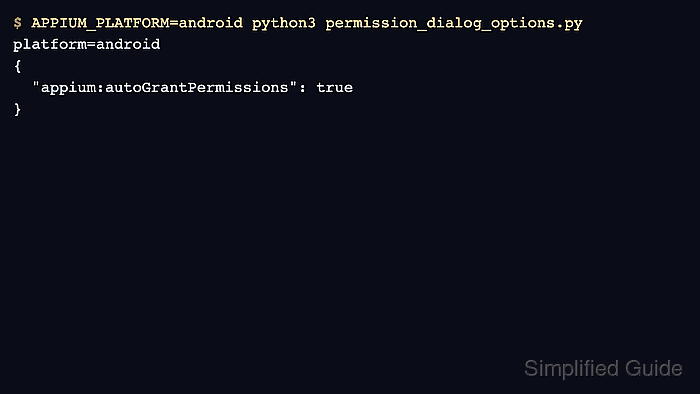
$ APPIUM_PLATFORM=android python3 permission_dialog_options.py
platform=android
{
  "appium:autoGrantPermissions": true
}
Android automatic grants apply to manifest-requested runtime permissions on Android 6 or newer when the app targets SDK 23 or newer. Legacy-targeted apps may need a reinstall or full reset before the grant is applied.
- Preview the iOS accept-alert capability.
$ APPIUM_PLATFORM=ios python3 permission_dialog_options.py
platform=ios
{
  "appium:autoAcceptAlerts": true
}
autoAcceptAlerts accepts system alerts such as location, contacts, or photos. Run APPIUM_PLATFORM=ios PERMISSION_MODE=deny python3 permission_dialog_options.py to preview appium:autoDismissAlerts for denied-permission tests.
- Import the helper in the test that opens the permission-gated screen.
- test_permission_flow.py
from appium import webdriver
from appium.webdriver.common.appiumby import AppiumBy
from selenium.webdriver.support.ui import WebDriverWait

from permission_dialog_options import build_options, permission_payload


options = build_options("android")
driver = webdriver.Remote("http://127.0.0.1:4723", options=options)

try:
    print(f"session={driver.session_id}")
    print(f"permission_payload={permission_payload(options)}")
    driver.find_element(AppiumBy.ACCESSIBILITY_ID, "Use Location").click()
    status = WebDriverWait(driver, 10).until(
        lambda item: item.find_element(AppiumBy.ACCESSIBILITY_ID, "Location enabled")
    )
    print(f"permission_flow={status.text}")
finally:
    driver.quit()
Replace the accessibility IDs with controls from the app under test. For iOS, call build_options("ios") for accept tests or build_options("ios", "deny") for denial-path tests.
- Run the permission-gated test case.
$ python3 test_permission_flow.py
session=2e5f6d4c-9f1b-4d52-8e65-4cf2f8d96a15
permission_payload={'appium:autoGrantPermissions': True}
permission_flow=Location enabled
The session ID shows that Appium accepted the capabilities. The final line should come from the screen reached after the permission prompt would normally appear.
- Use a targeted permission change for Android permissions that are outside normal runtime grants.
Permissions such as notification access or media projection may need the UiAutomator2 mobile: changePermissions extension with an appops target after the session starts.