How to run an Apache Spark standalone cluster
Apache Spark standalone mode is the built-in cluster manager for Spark deployments that do not use YARN or Kubernetes. A single-machine master and worker are useful for validating cluster submission behavior before adding remote worker hosts, shared storage, or higher-availability master settings.
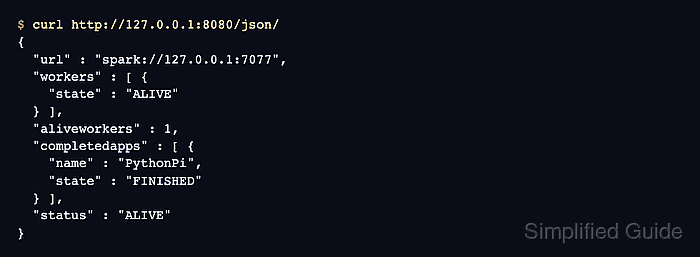
The manual launch path starts a master daemon, connects a worker to the master's spark://HOST:PORT URL, and submits an application with spark-submit in client mode. The master web UI listens on port 8080 by default, and its JSON endpoint exposes the same worker and application state in a terminal-friendly form.
Keep standalone mode on a trusted lab host or private network unless Spark security is configured, because authentication and UI access controls are not enabled by default. The local lab binds the master to 127.0.0.1, caps the worker at one core and 1g of memory, runs the bundled PythonPi job, and stops the temporary daemons afterward.
Steps to run an Apache Spark standalone cluster:
- Open a terminal in the Spark installation directory.
$ cd "$SPARK_HOME"
The full Spark binary distribution contains both bin and sbin. A pip-only PySpark install may provide spark-submit without the standalone daemon scripts.
- Start the standalone master on the local interface.
$ ./sbin/start-master.sh --host 127.0.0.1 --port 7077 --webui-port 8080
starting org.apache.spark.deploy.master.Master, logging to /opt/spark/logs/spark-spark-org.apache.spark.deploy.master.Master-1-4a146ab51d78.out
Use a routable host name or IP address instead of 127.0.0.1 when workers run on other machines.
- Start a worker and connect it to the master URL.
$ ./sbin/start-worker.sh spark://127.0.0.1:7077 --cores 1 --memory 1g
starting org.apache.spark.deploy.worker.Worker, logging to /opt/spark/logs/spark-spark-org.apache.spark.deploy.worker.Worker-1-4a146ab51d78.out
Raise --cores and --memory only after confirming how much CPU and memory the host can dedicate to Spark applications.
- Check the master UI JSON for the registered worker.
$ curl http://127.0.0.1:8080/json/
{
  "url" : "spark://127.0.0.1:7077",
  "workers" : [ {
    "cores" : 1,
    "memory" : 1024,
    "state" : "ALIVE"
  } ],
  "aliveworkers" : 1,
  "completedapps" : [ ],
  "status" : "ALIVE"
}
The same state is visible in a browser at http://127.0.0.1:8080.
- Submit the bundled PythonPi job to the standalone master.
$ ./bin/spark-submit \
  --master spark://127.0.0.1:7077 \
  --conf spark.ui.showConsoleProgress=false \
  examples/src/main/python/pi.py \
  10
##### snipped #####
Pi is roughly 3.148800
The PythonPi value changes slightly between runs. A successful run connects to spark://127.0.0.1:7077 and exits after printing the result.
- Confirm the application finished in the master state.
$ curl http://127.0.0.1:8080/json/ { "url" : "spark://127.0.0.1:7077", "workers" : [ { "state" : "ALIVE" } ], "aliveworkers" : 1, "completedapps" : [ { "name" : "PythonPi", "state" : "FINISHED" } ], "status" : "ALIVE" } - Stop the worker daemon.
$ ./sbin/stop-worker.sh
stopping org.apache.spark.deploy.worker.Worker
- Stop the master daemon.
$ ./sbin/stop-master.sh
stopping org.apache.spark.deploy.master.Master