How to install Apache Spark on SUSE Linux
Apache Spark on a SUSE Linux host needs a supported JVM, a recent Python runtime, and Spark launcher scripts before local jobs can run. Zypper provides the operating-system pieces on openSUSE and SUSE Linux Enterprise, while PyPI provides the current PySpark runtime for local Python jobs and client-side submission.
Spark 4.1 runs on Java 17 or 21 and Python 3.10 or newer. OpenJDK 21 and Python 3.11 keep the runtime inside those support boundaries, and versioned Python package names are often clearer on SUSE hosts than relying on the default python3 command.
A per-user virtual environment keeps PySpark, Py4J, and the generated Spark launchers out of the system Python. After installation, spark-submit should print the Spark version, and a local-mode smoke test should complete without YARN, Kubernetes, or a Standalone cluster.
Related: How to install Apache Spark on Ubuntu or Debian
Related: How to run PySpark locally
Related: How to submit an Apache Spark job
Steps to install Apache Spark on SUSE Linux:
- Open a terminal with sudo privileges.
- Refresh the zypper repositories.
$ sudo zypper refresh
Retrieving repository metadata...
##### snipped #####
All repositories have been refreshed.
- Install OpenJDK 21 and the Python 3.11 virtual environment tools.
$ sudo zypper install --no-confirm java-21-openjdk-headless python311 python311-pip python311-virtualenv
Loading repository data...
Reading installed packages...
Resolving package dependencies...

The following 26 NEW packages are going to be installed:
  java-21-openjdk-headless python311 python311-pip python311-virtualenv
##### snipped #####
Running post-transaction scripts [....done]
On a managed SLES host, enable the standard repositories that provide OpenJDK and versioned Python packages before running the install command. Use java-17-openjdk-headless when local policy standardizes on Java 17.
- Confirm the active Java runtime.
$ java -version
openjdk version "21.0.10" 2026-01-20
OpenJDK Runtime Environment (build 21.0.10+7-suse-1500-aarch64)
OpenJDK 64-Bit Server VM (build 21.0.10+7-suse-1500-aarch64, mixed mode, sharing)
- Confirm the active Python runtime.
$ python3.11 --version
Python 3.11.15
PySpark 4.1 requires Python 3.10 or newer. Keep using the same interpreter name when creating the virtual environment so pip installs into the expected runtime.
- Create a virtual environment for Spark.
$ python3.11 -m venv ~/spark-venv
- Activate the virtual environment.
$ source ~/spark-venv/bin/activate
While the environment is active, python, pip, spark-submit, pyspark, and related launcher scripts resolve from ~/spark-venv/bin.
- Upgrade pip inside the virtual environment.
(spark-venv) $ python -m pip install --upgrade pip
Requirement already satisfied: pip in ./spark-venv/lib64/python3.11/site-packages
##### snipped #####
Successfully installed pip-26.1.2
- Install PySpark from PyPI.
(spark-venv) $ python -m pip install pyspark==4.1.2
Collecting pyspark==4.1.2
##### snipped #####
Successfully installed py4j-0.10.9.9 pyspark-4.1.2
Use the PySpark version that matches the Spark cluster, notebook image, or course environment. Omit the version pin only when the host should follow the newest PyPI release.
- Confirm the Spark launcher.
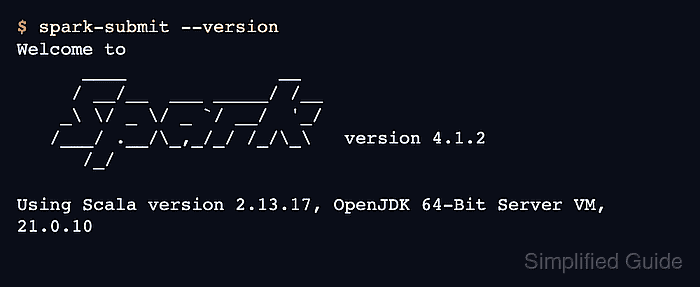
(spark-venv) $ spark-submit --version WARNING: Using incubator modules: jdk.incubator.vector Welcome to ____ __ / __/__ ___ _____/ /__ _\ \/ _ \/ _ `/ __/ '_/ /___/ .__/\_,_/_/ /_/\_\ version 4.1.2 /_/ Using Scala version 2.13.17, OpenJDK 64-Bit Server VM, 21.0.10 ##### snipped ##### - Save a temporary local Spark smoke test.
- /tmp/sg-spark-install-smoke.py
from pyspark.sql import SparkSession

spark = SparkSession.builder.appName("sg-local-check").master("local[2]").getOrCreate()
rows = spark.createDataFrame([("suse", 2), ("spark", 4)], ["name", "value"])
print("sum=", rows.groupBy().sum("value").first()[0])
spark.stop()
local[2] runs the driver and two worker threads on the same host. That proves Java, Python, PySpark, and the Spark launcher can work together before any cluster manager is involved.
- Run the smoke test with spark-submit.
(spark-venv) $ spark-submit --master local[2] /tmp/sg-spark-install-smoke.py
WARNING: Using incubator modules: jdk.incubator.vector
Using Spark's default log4j profile: org/apache/spark/log4j2-defaults.properties
##### snipped #####
sum= 6
Startup log lines vary by Java version and platform. The printed sum proves the local SparkSession started and completed a DataFrame action.
- Remove the temporary smoke test.
(spark-venv) $ rm /tmp/sg-spark-install-smoke.py
This cleanup removes only the verification script. The Spark virtual environment remains under ~/spark-venv.