How to install Apache Spark on CentOS, Fedora, or Red Hat
A Red Hat-family Linux host can run Apache Spark locally before jobs move to YARN, Kubernetes, Standalone, or another shared cluster manager. Local installation is useful for data engineers and developers who need the Spark launcher scripts, a supported Java runtime, and a quick spark-submit check on the same machine.
The distribution repositories provide the operating-system packages that Spark needs, while the Spark runtime itself comes from the official Apache binary archive. A versioned install directory with a stable Spark symlink keeps upgrades explicit and gives operators a clear path to replace after testing.
Spark 4 has a narrower supported runtime set than the newest Java packages available in some fast-moving repositories. Use DNF to install a Spark-supported Java LTS from the enabled repositories when possible, and use an approved vendor RPM repository when a current Fedora or restricted RHEL host only exposes a newer unsupported Java line.
Related: How to install Apache Spark on macOS
Related: How to run Apache Spark shell locally
Related: How to run PySpark locally
Related: How to submit an Apache Spark job
Steps to install Apache Spark on CentOS, Fedora, or Red Hat:
- Open a terminal with sudo privileges.
- Install the runtime and archive tools.
$ sudo dnf install java-21-openjdk python3 tar gzip
Dependencies resolved.
Installing:
 java-21-openjdk
Installing dependencies:
 java-21-openjdk-headless
##### snipped #####
Complete!
Spark 4.1.2 supports Java 17 and Java 21. Use a Java 17 or 21 package from the enabled operating-system repositories or an approved vendor RPM repository when java-21-openjdk is not available. Minimal Red Hat-family images often already include curl through curl-minimal, so do not replace it unless local policy requires the full curl package.
- Confirm the Java runtime.
$ java -version
openjdk version "21.0.11" 2026-04-21 LTS
OpenJDK Runtime Environment (Red_Hat-21.0.11.0.10-1) (build 21.0.11+10-LTS)
OpenJDK 64-Bit Server VM (Red_Hat-21.0.11.0.10-1) (build 21.0.11+10-LTS, mixed mode, sharing)
- Confirm the Python runtime.
$ python3 --version
Python 3.12.13
The exact Python package version depends on the distribution release. Spark 4.1.2 requires Python 3.10 or newer for PySpark work.
- Download the Apache Spark binary archive.
$ curl --fail --location https://dlcdn.apache.org/spark/spark-4.1.2/spark-4.1.2-bin-hadoop3.tgz --output /tmp/spark-4.1.2-bin-hadoop3.tgz
The dlcdn.apache.org URL points at the current Apache mirror network. If the release has moved, download the same filename from the Apache Spark archive instead of changing the version halfway through the install.
- Extract the archive under /opt.
$ sudo tar -xzf /tmp/spark-4.1.2-bin-hadoop3.tgz -C /opt
- Point the stable /opt/spark path at the extracted Spark directory.
$ sudo ln -sfn /opt/spark-4.1.2-bin-hadoop3 /opt/spark
The symlink keeps user commands stable while preserving the installed version directory for review or rollback.
- Add the Spark launcher scripts to login shells.
$ sudo tee /etc/profile.d/spark.sh >/dev/null <<'EOF'
export SPARK_HOME=/opt/spark
export PATH=$SPARK_HOME/bin:$PATH
EOF
- Load the profile script in the current shell.
$ source /etc/profile.d/spark.sh
New login shells read this file automatically. The source command updates only the current terminal session.
- Confirm the shell resolves spark-submit from the Spark install.
$ command -v spark-submit
/opt/spark/bin/spark-submit
- Check the installed Spark version.
$ spark-submit --version
WARNING: Using incubator modules: jdk.incubator.vector
Welcome to
      ____              __
     / __/__  ___ _____/ /__
    _\ \/ _ \/ _ `/ __/  '_/
   /___/ .__/\_,_/_/ /_/\_\   version 4.1.2
      /_/

Using Scala version 2.13.17, OpenJDK 64-Bit Server VM, 21.0.11
The Java patch version can differ across CentOS Stream, RHEL, and Fedora repositories. The important signals are Spark 4.1.2 and a Spark-supported Java 17 or 21 runtime.
- Save a local Spark smoke test as sg-spark-local.py.
- sg-spark-local.py
from pyspark.sql import SparkSession

spark = SparkSession.builder.appName("sg-local-check").getOrCreate()
spark.sparkContext.setLogLevel("ERROR")

total = spark.range(1, 6).selectExpr("sum(id) AS total").first().total
print(f"total={total}")

spark.stop()
The script creates a SparkSession, runs a DataFrame action, prints the result, and stops the local Spark context.
- Run the smoke test with spark-submit in local mode.
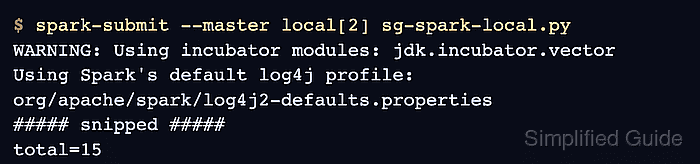
$ spark-submit --master local[2] sg-spark-local.py
WARNING: Using incubator modules: jdk.incubator.vector
Using Spark's default log4j profile: org/apache/spark/log4j2-defaults.properties
##### snipped #####
total=15
local[2] runs the driver and worker threads on the same host. The total=15 output proves spark-submit started Spark, loaded PySpark, and completed a local action.
- Remove the temporary smoke-test files.
$ rm sg-spark-local.py /tmp/spark-4.1.2-bin-hadoop3.tgz
This cleanup removes only the downloaded archive and temporary test script. It does not remove the installed Spark directory under /opt.