How to install Apache Spark on macOS
Local Apache Spark on macOS gives data engineers and developers a workstation runtime for shell experiments, small spark-submit checks, and tutorial jobs before code moves to YARN, Kubernetes, or a remote Standalone cluster. Homebrew provides the package-managed path for that local runtime and places the Spark launcher scripts on the shell path.
The apache-spark formula installs the current Spark distribution and depends on openjdk@21. Spark 4 runs on Java 17 or 21 and uses Scala 2.13, so the Homebrew dependency matches the current upstream runtime requirements without requiring manual edits to shell startup files.
A completed install should show spark-submit or spark-shell on the path, print the Spark version, and run a local-mode action that returns a result. The local smoke test uses local[2] on one Mac; cluster submission, package distribution, and PySpark-only checks are separate follow-up workflows.
Related: How to run Apache Spark shell locally
Related: How to run PySpark locally
Related: How to submit an Apache Spark job
Steps to install Apache Spark on macOS with Homebrew:
- Open Terminal.
- Install Apache Spark with Homebrew.
$ brew install apache-spark
==> Fetching downloads for: apache-spark
==> Fetching dependencies for apache-spark: openjdk@21
##### snipped #####
==> Installing apache-spark
##### snipped #####
The formula installs the Spark launcher scripts and the openjdk@21 dependency used by those scripts. If brew is not available, install Homebrew first and rerun this command in a new terminal session.
- Confirm the installed Apache Spark formula version.
$ brew list --versions apache-spark
apache-spark 4.1.2
The exact patch version follows the Homebrew formula available when the package is installed.
- Check the Spark launcher and bundled Java runtime.
$ spark-submit --version
Welcome to
      ____              __
     / __/__  ___ _____/ /__
    _\ \/ _ \/ _ `/ __/  '_/
   /___/ .__/\_,_/_/ /_/\_\   version 4.1.2
      /_/

Using Scala version 2.13.17, OpenJDK 64-Bit Server VM, 21.0.11
This confirms the shell can run Spark and that the Homebrew-provided Java runtime is being used by the launcher.
- Start the Spark shell in local mode.
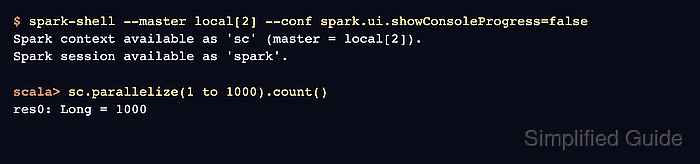
$ spark-shell --master local[2] --conf spark.ui.showConsoleProgress=false
Spark context available as 'sc' (master = local[2]).
Spark session available as 'spark'.
local[2] runs Spark on the Mac with two local worker threads. Use a cluster-specific master only after the local runtime is proven.
- Run a small local Spark action at the scala> prompt.
scala> sc.parallelize(1 to 1000).count()
res0: Long = 1000
The Long = 1000 result proves the shell created a Spark context and executed work in local mode.
- Exit the Spark shell.
scala> :quit
Related: How to run Apache Spark shell locally
Related: How to run PySpark locally
Related: How to submit an Apache Spark job