How to configure Hadoop S3A access to Amazon S3
Hadoop S3A access connects Hadoop filesystem commands and jobs to Amazon S3 through the hadoop-aws module. A missing connector JAR, mismatched Hadoop version, or unsafe credential placement usually appears as a classpath or authentication failure.
Hadoop 3.5 uses AWS SDK v2 through the shaded bundle JAR. Keep hadoop-aws at the same version as hadoop-common and place the AWS SDK bundle on the client and job classpaths before testing s3a:// URIs.
Do not put long-lived access keys directly in shared XML files. Prefer instance roles, environment credentials, or a Hadoop credential provider that keeps secrets outside readable configuration files.
Related: How to copy data with Hadoop DistCp
Related: How to enable Kerberos for Hadoop
Steps to configure Hadoop S3A access to Amazon S3:
- Confirm the Hadoop version used by the client.
$ hadoop version
Hadoop 3.5.0
Source code repository https://github.com/apache/hadoop -r 000000000000
- Enable the hadoop-aws optional tool for the client shell.
- ~/.hadooprc
hadoop_add_to_classpath_tools hadoop-aws
- Confirm that the S3A filesystem class can load.
$ hadoop classpath --glob
/opt/hadoop/share/hadoop/tools/lib/hadoop-aws-3.5.0.jar
/opt/hadoop/share/hadoop/common/lib/bundle-2.35.4.jar
##### snipped #####
- Set S3A to use environment or instance-role credentials.
- core-site.xml
<property>
  <name>fs.s3a.aws.credentials.provider</name>
  <value>org.apache.hadoop.fs.s3a.auth.IAMInstanceCredentialsProvider</value>
</property>
- Set the endpoint region when the client cannot infer it.
- core-site.xml
<property>
  <name>fs.s3a.endpoint.region</name>
  <value>us-east-1</value>
</property>
- List a bucket path with a sanitized example URI.
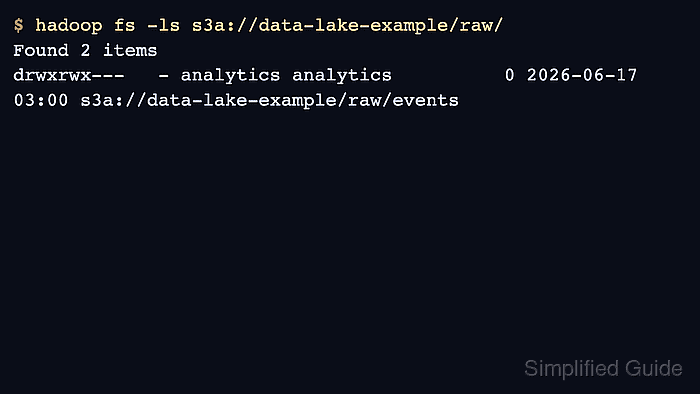
$ hadoop fs -ls s3a://data-lake-example/raw/
Found 2 items
drwxrwx--- s3a://data-lake-example/raw/events
drwxrwx--- s3a://data-lake-example/raw/reference
- Write and remove a small smoke-test object when the credentials permit writes.
$ hadoop fs -touchz s3a://data-lake-example/tmp/hadoop-s3a-check
Use a dedicated temporary prefix and sanitize bucket names in saved transcripts.