How to set an HDFS quota
HDFS quotas stop a directory tree from consuming more namespace entries or replicated storage than planned. A quota change should start with current usage so the new limit does not immediately block active writers.
Name quotas count files and directories. Space quotas count consumed replicated bytes, so a 10 GB file with replication factor 3 consumes 30 GB of space quota.
Quota commands are administrative HDFS operations. Use them on HDFS directories, then check the quota report with hdfs dfs -count -q before handing the path back to users.
Related: How to check HDFS cluster health
Related: How to set HDFS file replication
Steps to set an HDFS directory quota:
- Check current quota and usage for the directory.
$ hdfs dfs -count -q -h /data/projects QUOTA REM_QUOTA SPACE_QUOTA REM_SPACE_QUOTA DIR_COUNT FILE_COUNT CONTENT_SIZE PATHNAME none inf none inf 12 112 68.4 G /data/projects - Set a namespace quota for file and directory names.
$ hdfs dfsadmin -setQuota 5000 /data/projects
- Set a replicated space quota.
$ hdfs dfsadmin -setSpaceQuota 2t /data/projects
- Verify both quotas.
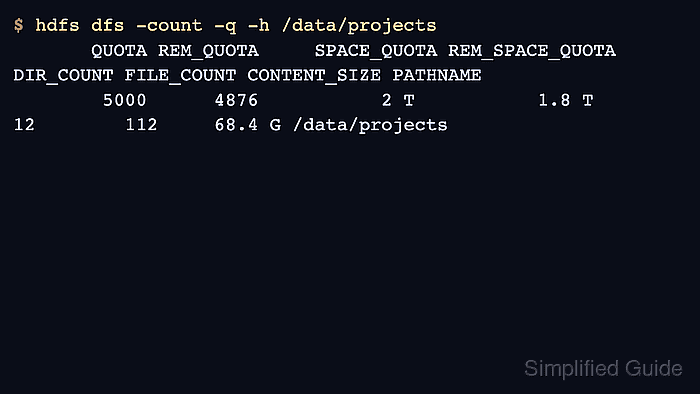
$ hdfs dfs -count -q -h /data/projects QUOTA REM_QUOTA SPACE_QUOTA REM_SPACE_QUOTA DIR_COUNT FILE_COUNT CONTENT_SIZE PATHNAME 5000 4876 2 T 1.8 T 12 112 68.4 G /data/projects - Clear the quotas when the directory should return to unlimited usage.
$ hdfs dfsadmin -clrQuota /data/projects
Run hdfs dfsadmin -clrSpaceQuota /data/projects separately when the space quota must also be removed.