How to replace a dead Apache Cassandra node
A dead Apache Cassandra node needs a replacement path when the failed host will not return but the cluster should keep the same token ownership. The replacement node starts from empty local storage and declares the dead node address at first boot, so surviving replicas stream the missing ranges back into the cluster instead of permanently removing that ownership.
The replacement host should match the cluster's cluster_name, partitioner, snitch, datacenter, rack, and seed configuration, while using its own listen and broadcast addresses unless the failed host address is being reused. The replacement JVM flag points at the dead node's listen or broadcast address, not at the new host's address.
Cassandra reports replacement state differently while streaming is in progress. Other nodes may show the replacement as DN during hibernation, so monitor nodetool netstats on the replacement node and use nodetool status after streaming completes. Run repair after replacement when the failed node was down longer than max_hint_window, or when a same-address replacement took longer than that hint window.
Steps to replace a dead Apache Cassandra node:
- Check cluster membership from a live node and record the dead node address.
$ nodetool status
Datacenter: dc1
================
Status=Up/Down
|/ State=Normal/Leaving/Joining/Moving
--  Address     Load       Tokens  Owns (effective)  Host ID                               Rack
UN  10.0.10.11  91.84 GiB  256     33.3%             5b0f8c3e-7c62-41d1-8f15-a1f6a1b8c011  rack1
UN  10.0.10.12  92.10 GiB  256     33.3%             66b4c8e8-9777-49d8-8c4a-4df45d9b5b12  rack1
DN  10.0.10.13  90.77 GiB  256     33.4%             1d4f5d25-6a7c-4b73-9e9f-98ce4b863f23  rack1
DN means Down/Normal. Use this replacement flow only after confirming the failed node will not come back with its existing data.
- Stop Cassandra on the replacement host before changing its startup files.
$ sudo systemctl stop cassandra
If the old node is still reachable, stop it and keep it offline before starting the replacement. Two nodes claiming the same ownership can corrupt cluster state.
- Confirm the replacement host has empty Cassandra storage directories.
$ sudo find /var/lib/cassandra/data /var/lib/cassandra/commitlog /var/lib/cassandra/hints /var/lib/cassandra/saved_caches -mindepth 1 -maxdepth 1 -print
No output means the listed directories contain no files. If any path prints, stop and preserve or wipe that data according to the recovery plan before continuing.
- Edit the replacement node's Cassandra configuration.
$ sudoedit /etc/cassandra/cassandra.yaml
cluster_name: Production Cluster
listen_address: 10.0.10.23
broadcast_address: 10.0.10.23
endpoint_snitch: GossipingPropertyFileSnitch
seed_provider:
  - class_name: org.apache.cassandra.locator.SimpleSeedProvider
    parameters:
      - seeds: "10.0.10.11,10.0.10.12"
Keep auto_bootstrap at its default enabled state. Use the replacement host address for listen_address and broadcast_address unless the failed address is being reused.
- Add the first-boot replacement JVM flag for the dead node address.
$ sudoedit /etc/cassandra/cassandra-env.sh
JVM_OPTS="$JVM_OPTS -Dcassandra.replace_address_first_boot=10.0.10.13"
The address in replace_address_first_boot is the dead node address from the first step. The replacement node can still have a different listen_address and broadcast_address.
- Start Cassandra on the replacement host.
$ sudo systemctl start cassandra
The replacement may appear as DN from other nodes while it bootstraps. Do not remove the dead node with nodetool removenode during this replacement flow.
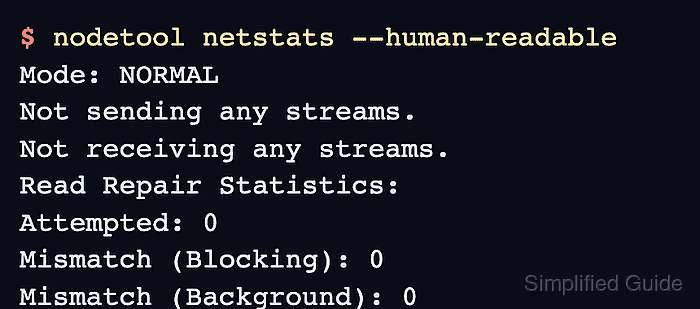
- Monitor replacement streaming until no active streams remain.
$ nodetool netstats --human-readable
Mode: NORMAL
Not sending any streams.
Not receiving any streams.
Read Repair Statistics:
Attempted: 0
Mismatch (Blocking): 0
Mismatch (Background): 0
Pool Name                    Active   Pending      Completed   Dropped
Large messages                  n/a         0             72         0
Small messages                  n/a         0           1843         0
Gossip messages                 n/a         0          48201         0
Run nodetool netstats on the replacement node. During bootstrap, it is the clearest view of replacement progress.
- Verify the replacement node is up in the ring from a live node.
$ nodetool status
Datacenter: dc1
================
Status=Up/Down
|/ State=Normal/Leaving/Joining/Moving
--  Address     Load       Tokens  Owns (effective)  Host ID                               Rack
UN  10.0.10.11  91.84 GiB  256     33.3%             5b0f8c3e-7c62-41d1-8f15-a1f6a1b8c011  rack1
UN  10.0.10.12  92.10 GiB  256     33.3%             66b4c8e8-9777-49d8-8c4a-4df45d9b5b12  rack1
UN  10.0.10.23  90.77 GiB  256     33.4%             1d4f5d25-6a7c-4b73-9e9f-98ce4b863f23  rack1
The address may be the replacement host address or the reused failed address, depending on the network plan. The important status is UN for every expected node.
- Remove the replacement JVM flag after the node is UN.
$ sudoedit /etc/cassandra/cassandra-env.sh
replace_address_first_boot is designed for the first replacement boot, but removing it avoids confusing future maintenance reviews.
- Check the hint window before closing the replacement ticket.
$ nodetool getmaxhintwindow
Current max hint window: 10800000 ms
If the node was down longer than max_hint_window, or if a same-address replacement took longer than max_hint_window, run repair on the replaced ranges before treating the node as fully consistent.
Related: How to run Apache Cassandra repair