How to install Apache Cassandra on macOS
Installing Apache Cassandra on macOS is usually a developer or workstation setup step before a local schema test, driver smoke test, or training cluster is handed to a Linux environment. Homebrew provides the shortest package-manager path because it installs Cassandra, its Java runtime dependency, and the Python version used by cqlsh as one formula-managed set.
The Homebrew formula exposes the common Cassandra commands, including cassandra, nodetool, and cqlsh. It also wires the service command to run Cassandra in the foreground under brew services, with local state under the Homebrew prefix instead of the package layout used by Linux servers.
Treat this as a local single-node install, not a production cluster recipe. Apache's project documentation focuses production package installs on Linux distributions, while the macOS formula is a convenient way to run a local node that can answer the default CQL listener and report UN through nodetool status.
Steps to install Apache Cassandra on macOS with Homebrew:
- Open Terminal with Homebrew available in your shell.
- Review the current Homebrew Cassandra formula.
$ brew info cassandra
==> cassandra: stable 5.0.8 (bottled)
Eventually consistent, distributed key-value store
https://cassandra.apache.org
Aliases: cassandra@5.0
Conflicts with:
  emqx (because both install `nodetool` binaries)
Not installed
##### snipped #####
==> Dependencies
Required (3): libev, openjdk@17, python@3.11
openjdk@17 supplies the Java runtime, and python@3.11 supports cqlsh for the current formula.
- Install Cassandra from Homebrew.
$ brew install cassandra
==> Fetching downloads for: cassandra
==> Installing dependencies for cassandra: libev, openjdk@17 and python@3.11
==> Pouring cassandra--5.0.8.arm64_sonoma.bottle.tar.gz
##### snipped #####
==> Caveats
To start cassandra now and restart at login:
  brew services start cassandra
The exact bottle name can differ by macOS release and CPU architecture.
- Locate the installed Cassandra prefix.
$ brew --prefix cassandra
/opt/homebrew/opt/cassandra
Apple Silicon installs usually use /opt/homebrew. Intel installs usually use /usr/local.
- Locate the OpenJDK 17 dependency prefix.
$ brew --prefix openjdk@17
/opt/homebrew/opt/openjdk@17
- Verify the Java runtime installed for Cassandra.
$ /opt/homebrew/opt/openjdk@17/bin/java -version
openjdk version "17.0.19" 2026-04-15
OpenJDK Runtime Environment Homebrew (build 17.0.19+0)
OpenJDK 64-Bit Server VM Homebrew (build 17.0.19+0, mixed mode)
Use the path printed by brew --prefix openjdk@17 if your Homebrew prefix is not /opt/homebrew.
- Start Cassandra as a Homebrew service.
$ brew services start cassandra
==> Successfully started `cassandra` (label: homebrew.mxcl.cassandra)
Homebrew runs cassandra -f for the service and keeps the working directory under the formula's local data path.
- Confirm that Homebrew sees the service as loaded and running.
$ brew services info cassandra
cassandra (homebrew.mxcl.cassandra)
Running: true
Loaded: true
Schedulable: false
If the service does not start, check /opt/homebrew/var/log/cassandra/system.log or the equivalent log path under your Homebrew prefix.
- Check the local Cassandra ring state.
$ nodetool status
Datacenter: datacenter1
=======================
Status=Up/Down
|/ State=Normal/Leaving/Joining/Moving
--  Address    Load        Tokens  Owns (effective)  Host ID                               Rack
UN  127.0.0.1  128.91 KiB  16      100.0%            3b8a0b2a-1f4f-4de7-8b2e-4d29c6e352a2  rack1
UN means the local node is up and normal from Cassandra's ring view.
Related: How to check Apache Cassandra cluster status with nodetool - Connect to the local native transport port with cqlsh.
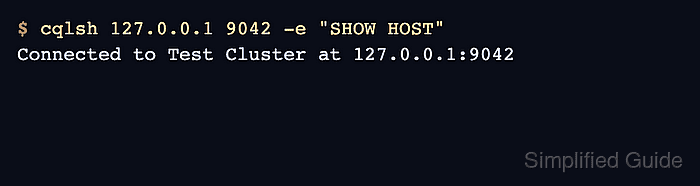
$ cqlsh 127.0.0.1 9042 -e "SHOW HOST"
Connected to Test Cluster at 127.0.0.1:9042
The default local node listens for CQL clients on 127.0.0.1:9042 unless the Cassandra configuration has been changed.
Related: How to connect to Apache Cassandra with cqlsh