How to insert and query data in Apache Cassandra
An Apache Cassandra node that accepts CQL connections still needs a data-path check before it is ready for application work. Creating a disposable keyspace, inserting rows, and reading them back with cqlsh proves that the native protocol can write data and return the expected partition rows.
Cassandra Query Language stores data in tables whose primary keys control row placement and query shape. The smoke-test table uses device_id as the partition key and reading_at as the clustering column, so the verification query can read one device partition without ALLOW FILTERING.
The keyspace and table names are intentionally disposable. Run the same pattern on a lab node or temporary schema first, and use an application keyspace only when the table design, replication settings, and retention rules have already been reviewed.
Steps to insert and query data with Apache Cassandra cqlsh:
- Confirm cqlsh can reach the Cassandra node.
$ cqlsh -e "SELECT release_version FROM system.local;"

 release_version
-----------------
           5.0.8

(1 rows)
Use the same connection options, credentials, TLS settings, or host name that the target client will use.
- Create a disposable keyspace for the smoke test.
$ cqlsh -e "CREATE KEYSPACE sg_app WITH replication = {'class': 'SimpleStrategy', 'replication_factor': 1};"SimpleStrategy with replication factor 1 is for a one-node lab. Use the cluster's approved application keyspace or NetworkTopologyStrategy for production data.
- Create a table with one partition key and one clustering column.
$ cqlsh -e "CREATE TABLE sg_app.sensor_readings (device_id text, reading_at timestamp, temperature_c double, status text, PRIMARY KEY (device_id, reading_at));"
The primary key lets Cassandra store all readings for one device_id in the same partition and order them by reading_at inside that partition.
- Insert the first sample row.
$ cqlsh -e "INSERT INTO sg_app.sensor_readings (device_id, reading_at, temperature_c, status) VALUES ('sensor-a', '2026-06-17T10:00:00Z', 24.7, 'ok');"INSERT is an upsert in Cassandra. Reusing the same full primary key writes the supplied column values for that row instead of failing because the row already exists.
- Insert another row in the same partition.
$ cqlsh -e "INSERT INTO sg_app.sensor_readings (device_id, reading_at, temperature_c, status) VALUES ('sensor-a', '2026-06-17T10:05:00Z', 25.1, 'ok');"Use IF NOT EXISTS only when first-write semantics are required, because it uses Cassandra's lightweight transaction path.
- Query the inserted rows by partition key.
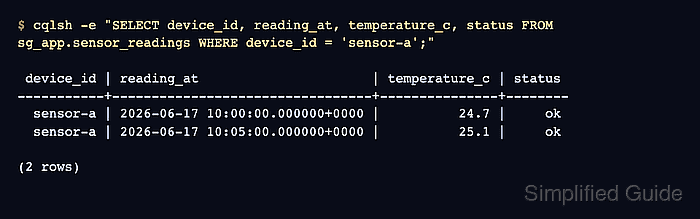
$ cqlsh -e "SELECT device_id, reading_at, temperature_c, status FROM sg_app.sensor_readings WHERE device_id = 'sensor-a';"

 device_id | reading_at                      | temperature_c | status
-----------+---------------------------------+---------------+--------
  sensor-a | 2026-06-17 10:00:00.000000+0000 |          24.7 |     ok
  sensor-a | 2026-06-17 10:05:00.000000+0000 |          25.1 |     ok

(2 rows)
A partition-key query proves the inserted rows can be read through the table's intended access pattern.
- Query one row by its full primary key.
$ cqlsh -e "SELECT device_id, reading_at, status FROM sg_app.sensor_readings WHERE device_id = 'sensor-a' AND reading_at = '2026-06-17T10:05:00Z';"

 device_id | reading_at                      | status
-----------+---------------------------------+--------
  sensor-a | 2026-06-17 10:05:00.000000+0000 |     ok

(1 rows)
- Remove the disposable keyspace after the smoke test.
$ cqlsh -e "DROP KEYSPACE sg_app;"
Run this only for the temporary keyspace created above. Dropping a real keyspace removes its schema and data from the cluster.