How to install pip packages inside an Anaconda environment
PyPI-only dependencies can land in the wrong Python when pip runs from base or from the system shell. Installing the package after activating the target Conda environment keeps wheel files and console scripts under that environment instead of another interpreter.
Conda should install packages that are available from approved Conda channels before pip handles the remaining PyPI dependencies. Installing pip inside the target environment and running python -m pip uses that environment's interpreter, so the package goes beside the project packages and scripts.
After pip changes an environment, Conda can list the package but cannot fully solve around every file pip installed. Use a separate environment for each project, avoid --user inside Conda environments, and recreate the environment when later Conda package changes start conflicting.
Related: How to create a Conda environment
Related: How to install a package with Conda
Related: How to list packages in an Anaconda environment
Steps to install pip packages inside an Anaconda environment:
- Open a terminal where Conda is available.
- List environments and choose the target name.
$ conda env list

# conda environments:
#
# * -> active
# + -> frozen
base                     /opt/conda
analytics                /opt/conda/envs/analytics
The examples use an environment named analytics. Create the environment first if it does not exist.
Related: How to create a Conda environment - Accept the main default-channel Terms of Service if Conda blocks the package solve.
$ conda tos accept --override-channels --channel https://repo.anaconda.com/pkgs/main
accepted Terms of Service for https://repo.anaconda.com/pkgs/main
Run this only for channels your organization allows. Remove disallowed channels instead of accepting them.
- Accept the R default-channel Terms of Service only if Conda also lists it as blocked.
$ conda tos accept --override-channels --channel https://repo.anaconda.com/pkgs/r
accepted Terms of Service for https://repo.anaconda.com/pkgs/r
- Install pip inside the target environment.
$ conda install --name analytics pip --yes
2 channel Terms of Service accepted
Channels:
 - defaults
Platform: linux-aarch64
Collecting package metadata (repodata.json): done
Solving environment: done

# All requested packages already installed.
pip is often already present in environments that include Python. This command still confirms that the target environment has its own pip package.
- Activate the target environment.
$ conda activate analytics
(analytics) $
Related: How to activate a Conda environment
- Confirm pip belongs to the activated environment.
(analytics) $ python -m pip --version
pip 26.1.1 from /opt/conda/envs/analytics/lib/python3.13/site-packages/pip (python 3.13)
The path should point inside the target environment, not base or a system Python directory.
- Install the PyPI package with the activated environment's interpreter.
(analytics) $ python -m pip install rich
Collecting rich
##### snipped #####
Installing collected packages: pygments, mdurl, markdown-it-py, rich
Successfully installed markdown-it-py-4.2.0 mdurl-0.1.2 pygments-2.20.0 rich-15.0.0
Replace rich with the package name or requirement your project needs. Install available packages with Conda first, then use pip for the remaining PyPI dependency.
- Verify that Conda sees the package as a pip install.
(analytics) $ conda list rich
# packages in environment at /opt/conda/envs/analytics:
#
# Name                     Version          Build            Channel
rich                       15.0.0           pypi_0           pypi
The pypi_0 build and pypi channel show that pip installed the package into this Conda environment.
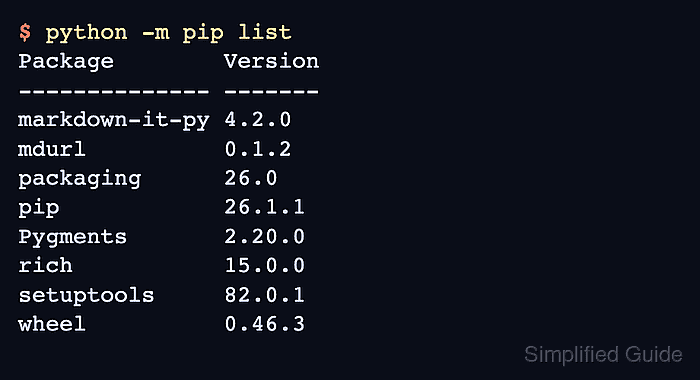
- List packages visible to pip in the active environment.
(analytics) $ python -m pip list
Package        Version
-------------- -------
markdown-it-py 4.2.0
mdurl          0.1.2
packaging      26.0
pip            26.1.1
Pygments       2.20.0
rich           15.0.0
setuptools     82.0.1
wheel          0.46.3
- Run an import smoke test through the environment's Python.
(analytics) $ python -c 'import importlib.metadata as md; print(md.version("rich"))'
15.0.0