How to enable conda-forge in Conda
Enabling conda-forge makes Conda resolve packages from the community package channel before falling back to Anaconda's defaults channels. Operators use it when a package is maintained on conda-forge or when an environment needs the package builds from that channel.
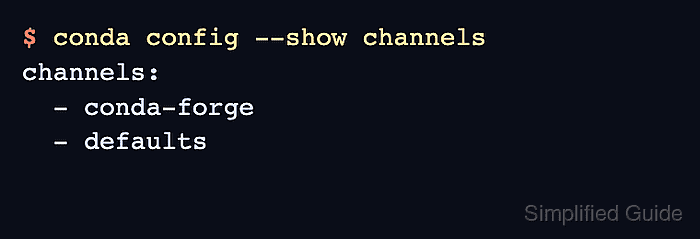
Conda stores channel choices in .condarc. Adding conda-forge with conda config prepends it to the channel list, and strict channel priority keeps lower-priority copies out when the same package exists on conda-forge.
User-level configuration is the default for conda config. Add --env to the two change commands after activating an environment when only that environment should prefer conda-forge. If an existing Anaconda install still uses defaults, some commands may ask for Anaconda channel Terms of Service before solving against those channels.
Related: How to configure Conda channels
Related: How to set Conda channel priority
Related: How to create a Conda environment
Steps to enable conda-forge in Conda:
- Check the current channel order.
$ conda config --show channels
channels:
  - defaults
The example starts from an Anaconda install that has only defaults configured. Existing systems may already show more channels.
- Add conda-forge as the highest-priority channel.
$ conda config --add channels conda-forge
For an environment-only setting, activate the environment first and run conda config --env --add channels conda-forge.
- Set strict channel priority.
$ conda config --set channel_priority strict
For an environment-only setting, run conda config --env --set channel_priority strict. Strict priority tells Conda to ignore lower-priority packages when the same package name exists on conda-forge.
- Confirm conda-forge appears before defaults.
$ conda config --show channels
channels:
  - conda-forge
  - defaults
- Confirm strict channel priority is saved.
$ conda config --show channel_priority
channel_priority: strict
- Search conda-forge for a package.
$ conda search --override-channels --channel conda-forge --full-name conda-smithy
Loading channels: done
# Name                       Version           Build  Channel
conda-smithy                  3.62.0 unix_pyh9ac5cc3_0  conda-forge
##### snipped #####
conda-smithy               2026.6.14 unix_pyh9ac5cc3_0  conda-forge
Using --override-channels in this smoke test avoids unrelated defaults Terms of Service prompts while proving conda-forge package metadata is reachable.