How to configure Conda channels
Conda installs and resolves packages from the channel list in its active configuration. A stale or unordered channel list can pull packages from the wrong repository, block package operations behind Terms of Service prompts, or hide an internal package that should be available to every environment.
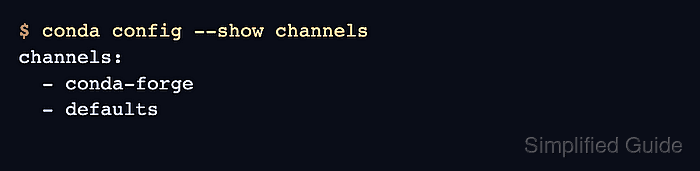
The conda config command writes to the user .condarc file by default and can show every source Conda is reading. Use --prepend or --add for a highest-priority channel, --append for a lowest-priority channel, and conda info to confirm the resolved channel URLs.
Keep the list limited to channels approved for the environment's license and security policy. Listing channels changes the repositories searched by future Conda package operations; include defaults only when Anaconda's default repositories are allowed, and set channel priority separately after the channel order is correct.
Related: How to set Conda channel priority
Related: How to enable conda-forge in Conda
Related: How to install a package with Conda
Steps to configure Conda channels:
- List the current Conda configuration sources.
$ conda config --show-sources
==> /home/operator/.condarc <==
channels:
  - defaults
No output means Conda did not find a populated configuration file. Use --env for the active environment or --file for a chosen configuration file when the channel list should not be user-wide.
- Add the highest-priority channel.
$ conda config --prepend channels conda-forge
--add is equivalent to --prepend for list values. Use a channel name such as conda-forge or a full internal channel URL.
- Add a lower-priority fallback channel.
$ conda config --append channels defaults
Warning: 'defaults' already in 'channels' list, moving to the bottom
The warning appears when the channel already exists and Conda moves it to the requested position. If defaults is not allowed for the environment, omit it or remove it instead of appending it.
- Check the saved channel order.
$ conda config --show channels
channels:
  - conda-forge
  - defaults
- Validate the Conda configuration files.
$ conda config --validate
No output indicates that Conda parsed the configuration files without syntax errors.
- Confirm the resolved channel URLs.
$ conda info
##### snipped #####
           channel URLs : https://conda.anaconda.org/conda-forge/linux-64
                          https://conda.anaconda.org/conda-forge/noarch
                          https://repo.anaconda.com/pkgs/main/linux-64
                          https://repo.anaconda.com/pkgs/main/noarch
                          https://repo.anaconda.com/pkgs/r/linux-64
                          https://repo.anaconda.com/pkgs/r/noarch
##### snipped #####
The platform portion of each URL, such as linux-64 or osx-arm64, changes with the machine running Conda. The order should match the channel list from top to bottom.